
Contents
Try Periskope
Manage WhatsApp Groups, Chats and Numbers at Scale
The New Automation Rules Experience: Templates, Triggers and More
The New Automation Rules Experience: Templates, Triggers and More
The New Automation Rules Experience: Templates, Triggers and More
Anjali Pandey
It's Day 3 of Periskope Launch Week, and today we're talking Automation.
If your team has ever spent too much time setting up automation rules or avoided them altogether because they felt too complex, this update is for you.
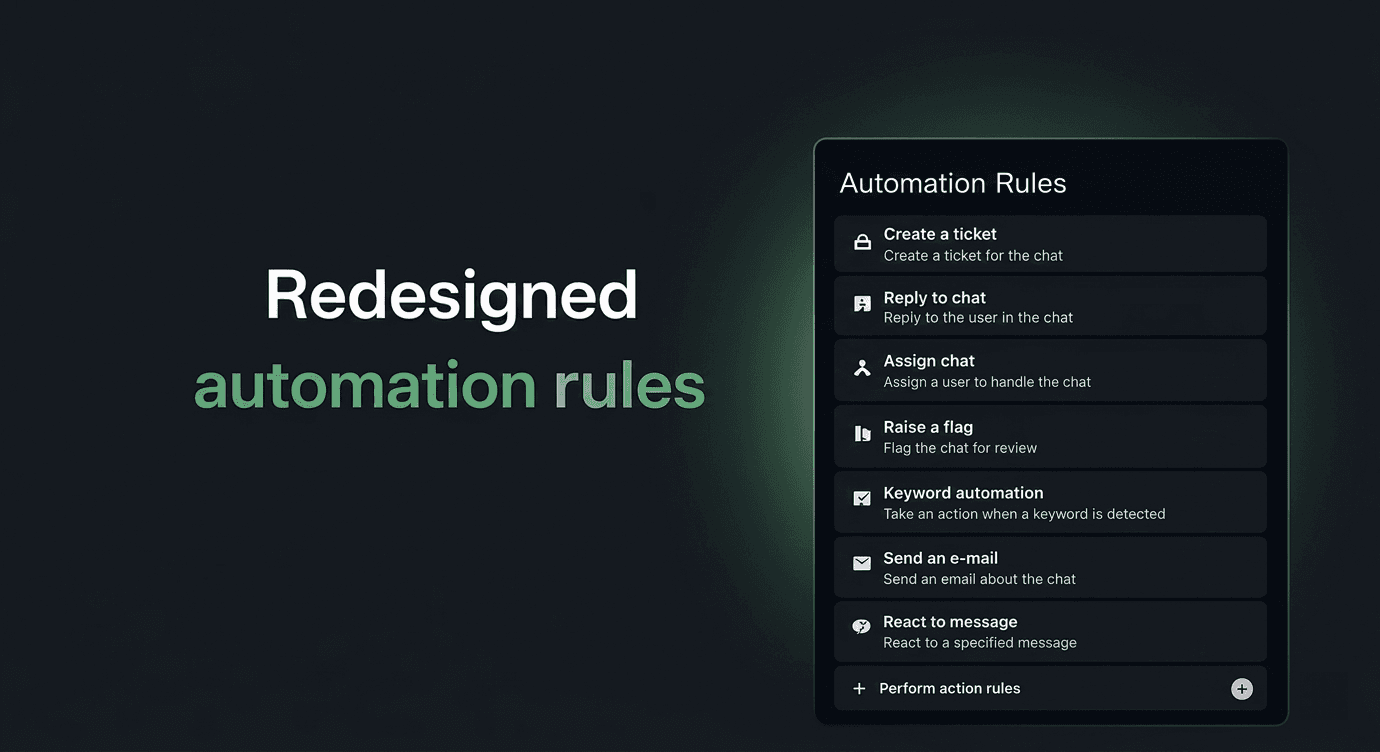
The entire Automation Rules experience has been redesigned from the ground up. Same functionality, significantly better experience.
🗂️ A Cleaner, Guided Setup Flow
Creating a new rule now happens in one clean, single-page layout. Your Trigger, Criteria, and Actions are all laid out in front of you in a logical sequence so your team can move through setup quickly and confidently.
Each section is clearly labelled and visually distinct. You always know where you are, what you've set up, and what comes next. No more guessing what a field does or why something isn't working.
📋 Start From a Template
Don't want to build from scratch? You don't have to.
Periskope now has a full library of pre-built templates, moved out of a small modal and into its own dedicated screen, so they're actually easy to browse. Templates are organised by category so you can find what you need fast.
Automated Ticketing: Create tickets for flagged messages, SLA breaches, new customers, or specific keywords
Automated Replies: Send automatic replies outside business hours, for specific keywords, or on mentions
Automated Assignments: Assign chats and tickets to agents in round-robin or based on who initiated the chat
Automated Flagging: Flag messages with specific keywords or mentions automatically
Automated Escalation: Trigger email alerts for SLA breaches or forward messages from specific senders
Automated Notifications: Send webhook or Slack notifications on new messages
For example, set up a rule that automatically creates a ticket every time a message containing the word "urgent" comes in and assigns it to your support team in round-robin. With the Automated Ticketing template, that takes about two minutes to set up.
Pick a template, customise it, and publish. Done in minutes.
⚡ Triggers, Now Easy to Navigate
With 16 triggers available, finding the right one is now significantly easier.
Triggers are organised into clear buckets: Message, Chat, Ticket, Reaction, Task, Call, and Member, each with a description so you know exactly what you're selecting before you click it.
There's also a search bar so you can find what you need instantly.
🔍 Conditions
Setting conditions is now more straightforward. Choose what you want to evaluate and set the value you want to check against. Create condition groups to combine multiple conditions and control exactly when a rule fires.
You can also set a wait time before conditions are checked, useful if you want to give your team a window to respond before a rule kicks in.
📌 Cleaner Rule Cards
Your list of automation rules is now easier to scan and manage. Each rule card shows you the trigger, the action, the status, Live or Draft, and when it was last updated, all at a glance.
Search across your rules, filter by status, and keep everything organised as your automation library grows.
Automation that used to take your team an hour to set up now takes minutes. And with templates handling the heavy lifting, even teams that have never touched automation rules before can get started today.
It's Day 3 of Periskope Launch Week, and today we're talking Automation.
If your team has ever spent too much time setting up automation rules or avoided them altogether because they felt too complex, this update is for you.
The entire Automation Rules experience has been redesigned from the ground up. Same functionality, significantly better experience.
🗂️ A Cleaner, Guided Setup Flow
Creating a new rule now happens in one clean, single-page layout. Your Trigger, Criteria, and Actions are all laid out in front of you in a logical sequence so your team can move through setup quickly and confidently.
Each section is clearly labelled and visually distinct. You always know where you are, what you've set up, and what comes next. No more guessing what a field does or why something isn't working.
📋 Start From a Template
Don't want to build from scratch? You don't have to.
Periskope now has a full library of pre-built templates, moved out of a small modal and into its own dedicated screen, so they're actually easy to browse. Templates are organised by category so you can find what you need fast.
Automated Ticketing: Create tickets for flagged messages, SLA breaches, new customers, or specific keywords
Automated Replies: Send automatic replies outside business hours, for specific keywords, or on mentions
Automated Assignments: Assign chats and tickets to agents in round-robin or based on who initiated the chat
Automated Flagging: Flag messages with specific keywords or mentions automatically
Automated Escalation: Trigger email alerts for SLA breaches or forward messages from specific senders
Automated Notifications: Send webhook or Slack notifications on new messages
For example, set up a rule that automatically creates a ticket every time a message containing the word "urgent" comes in and assigns it to your support team in round-robin. With the Automated Ticketing template, that takes about two minutes to set up.
Pick a template, customise it, and publish. Done in minutes.
⚡ Triggers, Now Easy to Navigate
With 16 triggers available, finding the right one is now significantly easier.
Triggers are organised into clear buckets: Message, Chat, Ticket, Reaction, Task, Call, and Member, each with a description so you know exactly what you're selecting before you click it.
There's also a search bar so you can find what you need instantly.
🔍 Conditions
Setting conditions is now more straightforward. Choose what you want to evaluate and set the value you want to check against. Create condition groups to combine multiple conditions and control exactly when a rule fires.
You can also set a wait time before conditions are checked, useful if you want to give your team a window to respond before a rule kicks in.
📌 Cleaner Rule Cards
Your list of automation rules is now easier to scan and manage. Each rule card shows you the trigger, the action, the status, Live or Draft, and when it was last updated, all at a glance.
Search across your rules, filter by status, and keep everything organised as your automation library grows.
Automation that used to take your team an hour to set up now takes minutes. And with templates handling the heavy lifting, even teams that have never touched automation rules before can get started today.
Try Periskope
Manage WhatsApp Groups, Chats and Numbers at Scale
Automate your WhatsApp with Periskope
Automate your WhatsApp with Periskope
Automate your WhatsApp with Periskope

Features
Integrations


Features
Integrations
Features
Integrations