
Zapier WhatsApp integration for groups and chats
Trigger Zaps from WhatsApp chats, messages, reactions and tickets in Periskope, or send WhatsApp broadcasts from Pabbly Connect workflows.
Periskope’s Zapier app triggers a Zap when something happens on WhatsApp in Periskope, such as a new chat, a new message, a reaction or a ticket change, so you can send that data to any app Zapier supports. Periskope also has a Pabbly Connect app with a Broadcast message action. Both connect with a Periskope API key and are currently in private access.
What you can do
Start Zaps from new chats: trigger on chat.created whenever a new chat or group is created.
Start Zaps from messages: trigger on new, edited or deleted messages, delivery status changes and messages attached to tickets.
Start Zaps from tickets: trigger on ticket.created, ticket.updated and ticket.deleted to push tickets into other tools.
Start Zaps from reactions: trigger on reaction.created when someone reacts to a message.
Broadcast from Pabbly Connect: send a message or attachment to every chat with a given label, or to a list of chat IDs, whenever a Pabbly workflow runs.
Supported events
chat.created
message.created
message.updated
message.deleted
message.ack.updated
message.ticket.attached
reaction.created
ticket.created
ticket.updated
ticket.deleted
How to set it up
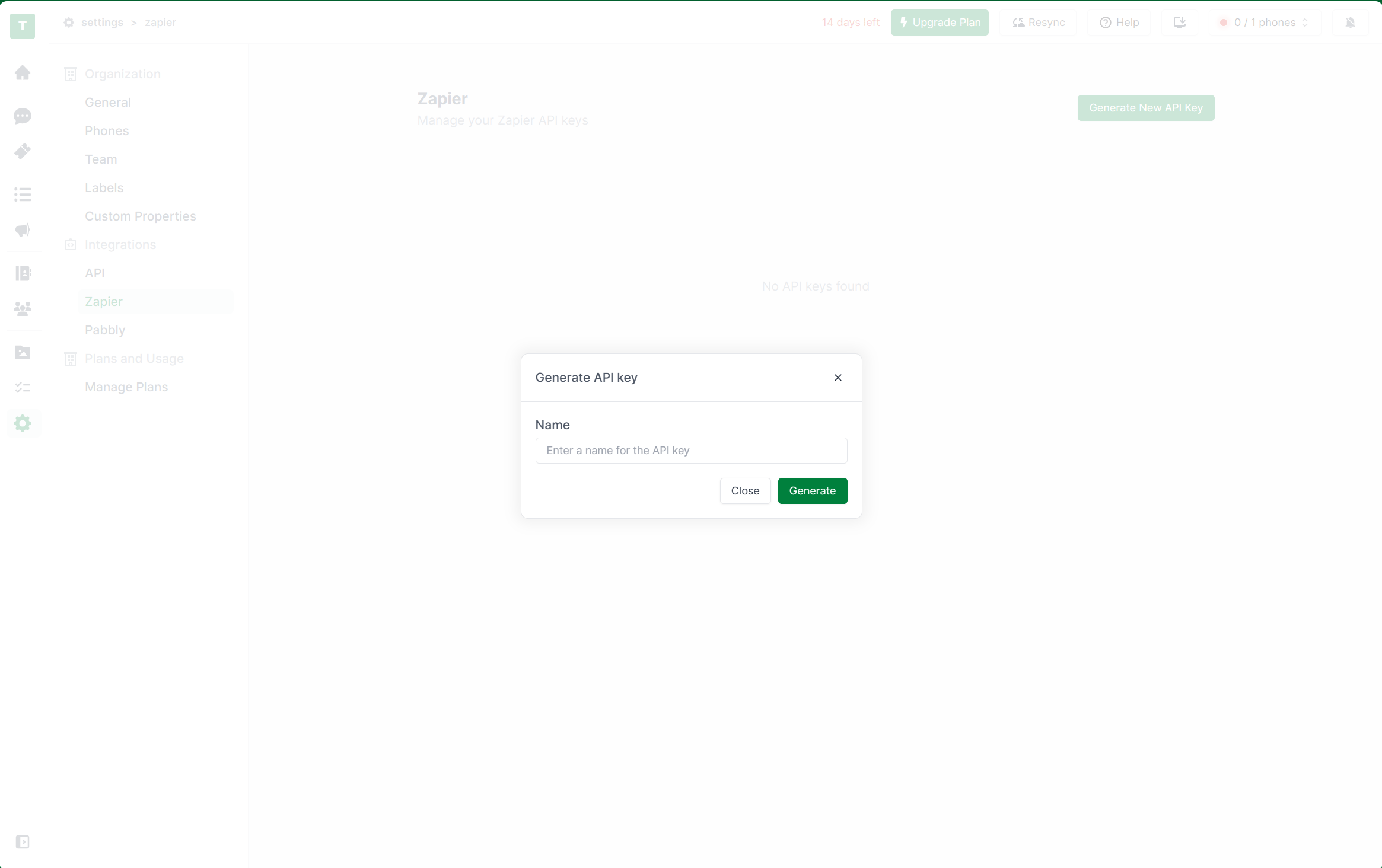
Log in to Periskope and generate an API key at https://console.periskope.app/settings/integrations/zapier. The key is shown only once, so store it safely.
Request access to the Periskope Zapier app with the invite link in the Zapier setup guide and accept it.
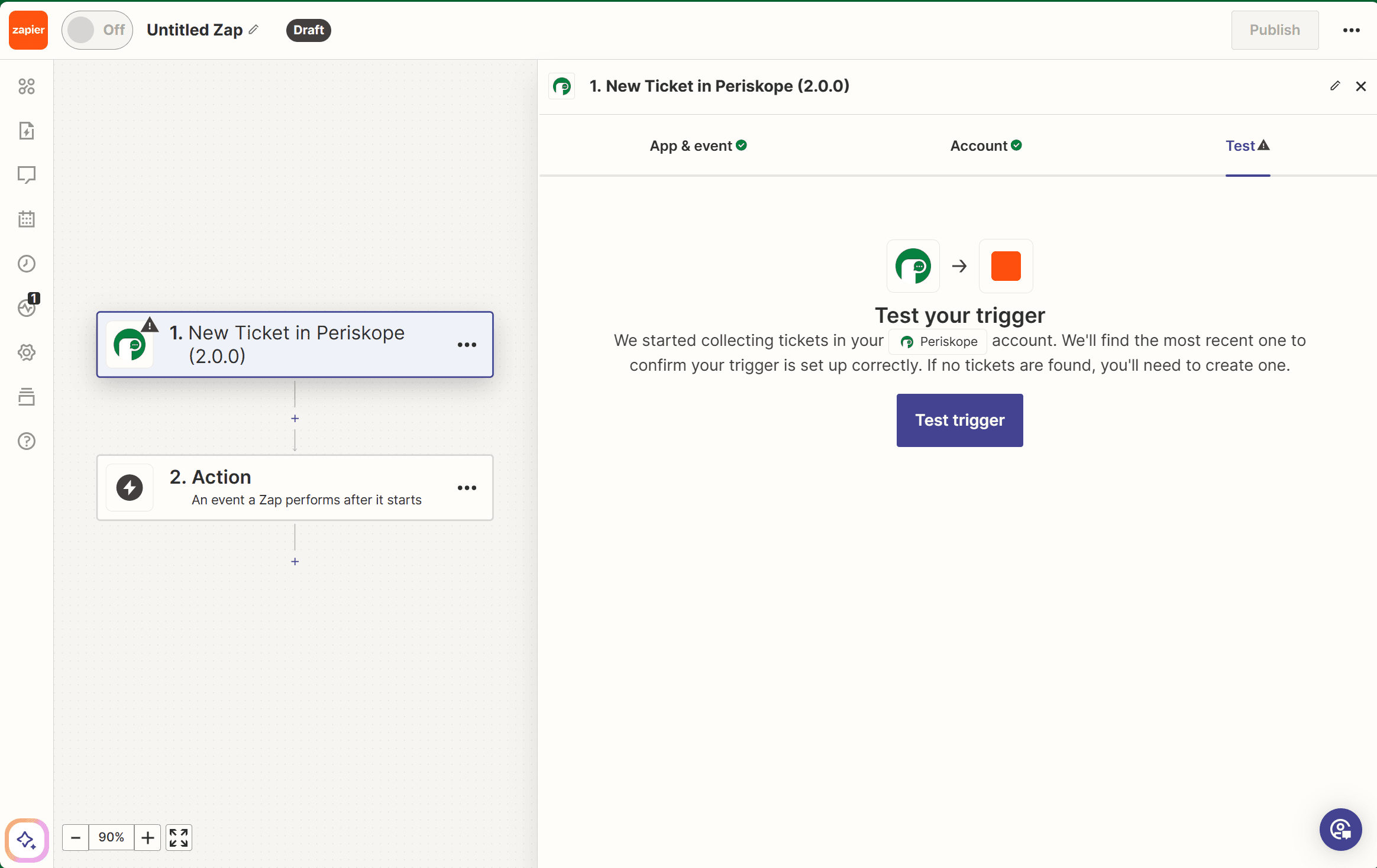
In Zapier, click Create, add a trigger and search for Periskope.
Choose an event, then create a new account connection and paste your API key.
Click Test trigger to pull a sample record, add the action you want, then test and publish the Zap.
For Pabbly Connect: request access to the Periskope Pabbly app, create a workflow with any trigger, add the Periskope action, choose Broadcast message, connect with your API key and map the fields.

Use cases
Every new Periskope ticket creates a task in your project management tool through a Zap.
A Zap posts a Slack alert when a message arrives in a key client’s WhatsApp group.
A Pabbly workflow sends a WhatsApp broadcast with a PDF to every chat labelled with a customer segment when a form is submitted.
Requirements
A Zapier account (or a Pabbly Connect account for Pabbly)
A Periskope account with at least one WhatsApp number connected
A Periskope API key
Access to the Periskope app in Zapier or Pabbly, requested through the invite link
Limitations and notes
The Periskope Zapier app is in private mode. Request access with the invite link before you build a Zap.
The Periskope Pabbly app is in private beta and currently supports one action, Broadcast message.
Pabbly broadcasts need either a label or chat IDs. Only one label is supported and it is case-sensitive. Chat IDs are passed as a comma-separated string.
Pabbly attachment types are image, document and video.
The API key can be revealed only once. Store it safely.
Frequently asked questions
Which Periskope events can trigger a Zap?
chat.created, message.created, message.updated, message.deleted, message.ack.updated, message.ticket.attached, reaction.created, ticket.created, ticket.updated and ticket.deleted.
Is the Periskope Zapier app public?
Not yet. It is in private mode. Use the invite link in the Zapier setup guide to get access.
Does Periskope work with Pabbly Connect?
Yes. The Periskope Pabbly app is in private beta and offers a Broadcast message action that sends a message or attachment to chats by label or chat ID.
Can I connect Salesforce through Zapier?
Yes. See the Salesforce integration page for ready-made flows such as creating leads from new WhatsApp chats.
I need something Zapier does not cover. What can I use?
Use Periskope webhooks to receive events directly on your server, and the REST API to send messages, raise tickets and create groups.
Full setup guide: https://docs.periskope.app/integrations/zapier
Automate your WhatsApp with Periskope

Features
Integrations


