
Zoho CRM WhatsApp integration for groups and chats
Link WhatsApp chats and groups to Zoho CRM contacts, accounts and leads, log new messages automatically and create Zoho records for every new chat.
Periskope’s Zoho CRM integration links your WhatsApp chats and groups to Zoho CRM contacts, accounts and leads, and shows their Zoho properties right next to the conversation. It can log new WhatsApp messages on the linked record and create a contact or account in Zoho CRM whenever a new chat starts. It works with any WhatsApp number connected to Periskope.
What you can do
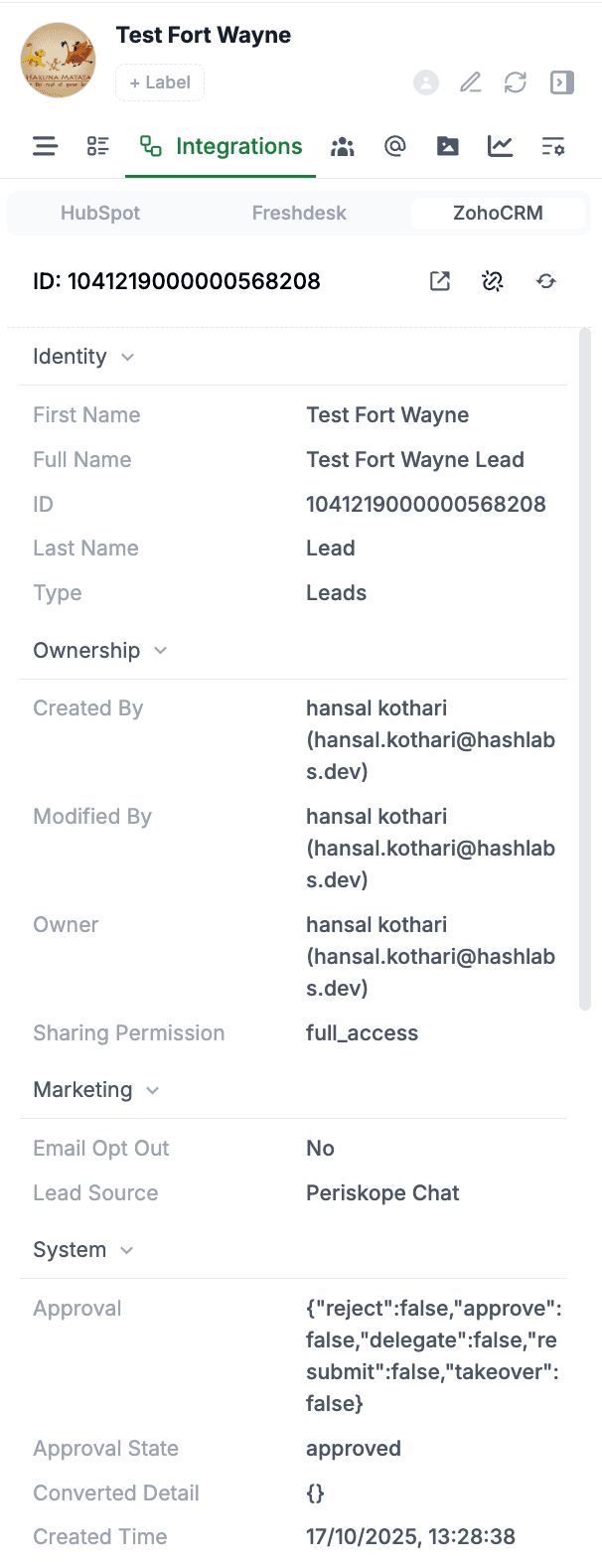
Link chats to contacts, accounts and leads: link any Periskope chat to a Zoho CRM record and view its details in the chat side panel.
Keep properties in sync: Zoho CRM properties sync automatically, and you can refresh or unlink them from the chat side panel.
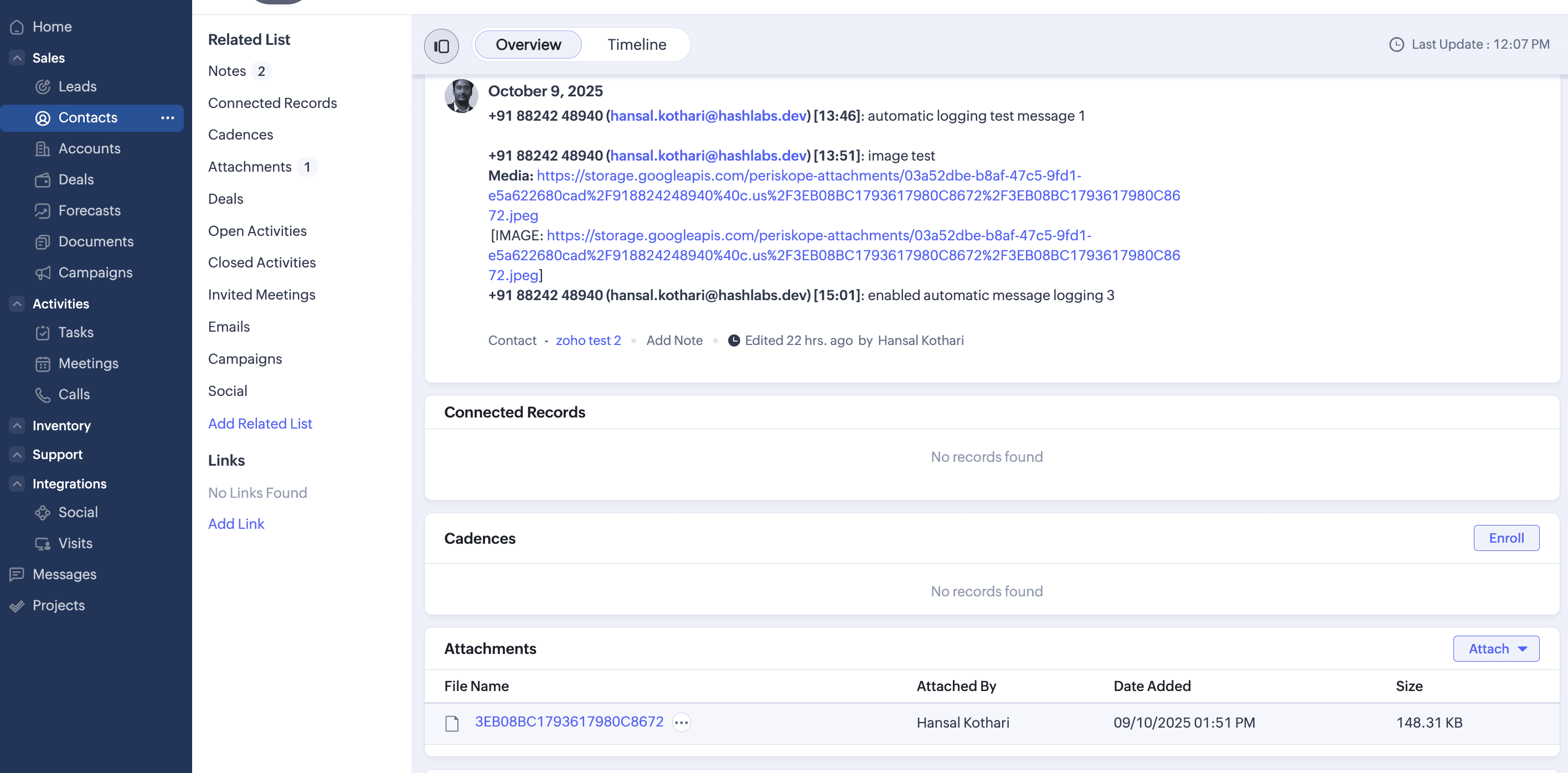
Log WhatsApp messages in Zoho CRM: turn on automatic chat logging and new messages are logged on the linked contact, account or lead.
Auto-create contacts and accounts: turn on automatic contact/account creation and every new Periskope chat creates a record in Zoho CRM.
See Periskope fields in Zoho CRM: Periskope creates its properties in Zoho when you first connect, and you can add them to your contact or account layout.
How to set it up
Log in to Periskope and open Zoho CRM settings at https://console.periskope.app/settings/integrations/zohocrm.
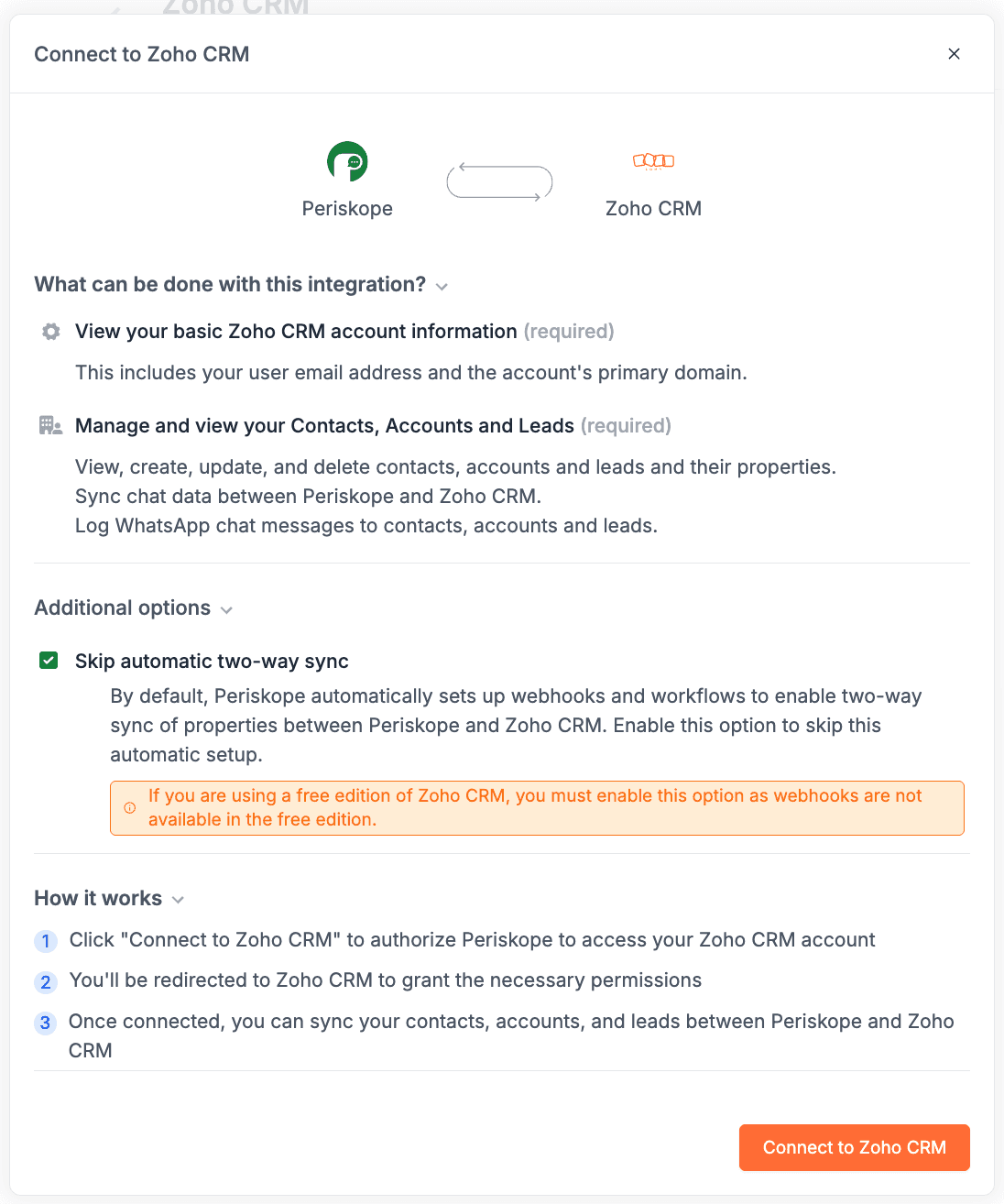
Click Connect. If you are on the free edition of Zoho CRM with no active trial, tick Skip automatic two-way sync in the connect modal.
You are redirected to Zoho CRM. Click Accept to approve the integration.
Back in Periskope settings, turn on automatic WhatsApp chat logging for contacts, accounts and leads, and automatic contact/account creation if you want them.
Link a chat to a contact, account or lead from the chat side panel in Periskope.
Use cases
A distributor links each dealer’s WhatsApp group to their Zoho CRM account so the account manager sees account details beside the chat and new messages are logged on the account.
An inside sales team turns on auto-create, so every new WhatsApp enquiry becomes a Zoho CRM record without anyone copying numbers across.
A manager opens a lead in Zoho CRM and reads the latest WhatsApp conversation without leaving the CRM.
Requirements
A Zoho CRM account
A Periskope account with at least one WhatsApp number connected
Limitations and notes
Periskope’s Zoho CRM app is currently under review. You can still connect Zoho CRM today from Periskope Zoho CRM settings.
On the free edition of Zoho CRM without an active trial, tick Skip automatic two-way sync when connecting. The connection creates webhooks, and the free edition does not support webhooks.
Only new messages are logged to Zoho CRM from the moment chat logging is turned on. Historical messages are not logged.
If you add team members or new properties in Periskope, click Resync properties to update Zoho CRM.
Frequently asked questions
Which Zoho CRM modules can I link a chat to?
Contacts, accounts and leads.
I use the free edition of Zoho CRM. Can I still connect?
Yes. Tick Skip automatic two-way sync in the connect modal, because the free edition does not support the webhooks that two-way sync relies on.
How do I see Periskope properties in Zoho CRM?
Periskope creates its properties in Zoho CRM when you first connect, and fills them once you link a chat. Add them to the page layout in Zoho CRM to make them visible.
Will my old WhatsApp messages be logged in Zoho CRM?
No. Only messages sent or received after you turn on chat logging are logged.
How do I disconnect Zoho CRM?
Open Periskope Zoho CRM settings and click Delete. You can choose to delete with or without data.
Do I need the WhatsApp Business API?
No. Periskope connects regular WhatsApp and WhatsApp Business App numbers by scanning a QR code, the same way you link WhatsApp Web. There are no template approvals or per-message fees.
Full setup guide: https://docs.periskope.app/integrations/zohocrm
Automate your WhatsApp with Periskope

Features
Integrations


