

Contents
Try Periskope
Manage WhatsApp Groups, Chats and Numbers at Scale
Best WhatsApp Business API Alternatives in 2026: Features & Pricing
Best WhatsApp Business API Alternatives in 2026: Features & Pricing
Best WhatsApp Business API Alternatives in 2026: Features & Pricing
Anjali Pandey
WhatsApp Business API promises professional messaging at scale. But it comes with serious problems.
You need Meta approval for every message template.
You can only reply freely within 24 hours of a customer’s last message.
You can't manage WhatsApp groups.
Setup requires weeks of technical integration through Business Solution Providers. And costs add up quickly with per-message pricing.
For many teams, these restrictions kill the flexibility that made WhatsApp useful in the first place.
The good news? You have options. Some replace the API entirely. Others are Chrome extensions that add features to your existing WhatsApp Web. And the best ones work with your current WhatsApp number: no migration, no Meta approval, no per-message fees.
We tested 8 WABA alternative tools across both types. This guide covers what each one does, what it costs, and who it's actually built for. We are sure you'll find the right fit here.
TL;DR: Top 8 WhatsApp Business API Alternatives in 2026
Tool | Type | Uses WABA? | Best For | Group Support | Free Trial |
Periskope | Platform | ❌ No | Group management, ops, sales, customer support teams | ✅ Full | ✅ Yes |
TimelinesAI | Platform | ❌ No | CRM integration, shared inbox | ⚠️ Partial | ✅ Yes |
Eazybe | Platform | ❌ No | Sales teams, CRM sync | ⚠️ Partial | ✅ Yes |
2Chat | Platform | ❌ No | Small teams, chatbot automation | ⚠️ Partial | ✅ Yes |
WAWCD | Chrome Extension | ❌ No | Privacy, bulk messaging | ❌ No | N/A |
WA Web Plus | Chrome Extension | ❌ No | Simple enhancements | ❌ No | N/A |
Cooby | Chrome Extension | ❌ No | Sales/support teams | ❌ No | ✅ Yes |
WAPlus | Chrome Extension | ❌ No | Free CRM features | ❌ No | N/A |
Quick takeaway: Only Periskope offers full WhatsApp group management + 1:1 chat support. Other platforms lean more towards 1:1 chats. Chrome extensions add free features but can't scale.
Tool | Type | Uses WABA? | Best For | Group Support | Free Trial |
Periskope | Platform | ❌ No | Group management, ops, sales, customer support teams | ✅ Full | ✅ Yes |
TimelinesAI | Platform | ❌ No | CRM integration, shared inbox | ⚠️ Partial | ✅ Yes |
Eazybe | Platform | ❌ No | Sales teams, CRM sync | ⚠️ Partial | ✅ Yes |
2Chat | Platform | ❌ No | Small teams, chatbot automation | ⚠️ Partial | ✅ Yes |
WAWCD | Chrome Extension | ❌ No | Privacy, bulk messaging | ❌ No | N/A |
WA Web Plus | Chrome Extension | ❌ No | Simple enhancements | ❌ No | N/A |
Cooby | Chrome Extension | ❌ No | Sales/support teams | ❌ No | ✅ Yes |
WAPlus | Chrome Extension | ❌ No | Free CRM features | ❌ No | N/A |
Quick takeaway: Only Periskope offers full WhatsApp group management + 1:1 chat support. Other platforms lean more towards 1:1 chats. Chrome extensions add free features but can't scale.
The Biggest Problems with WhatsApp Business API and Why Teams Are Moving On
WhatsApp Business API was built for large enterprises doing customer support at scale. But its restrictions make it frustrating for many teams.
The 5 Major WABA Limitations:
1. 24-Hour Conversation Window
Once a customer's last message is more than 24 hours old, the conversation is "closed." To message them again, you need a pre-approved template. You can't just type and send.
So if a customer messaged you on Friday evening and you want to follow up on Monday morning, you can't. You'd need a template approved by Meta in advance, worded exactly the way Meta allows, just to send a basic follow-up.
For support teams and sales reps who need to pick up conversations naturally, this is a constant blocker.
2. Template-Only First Messages
Every initial message needs Meta approval. The approval process takes days or weeks.
You submit templates like "Your order {{1}} is ready for pickup at {{2}}" and wait.
Can't send personalized first messages. Can't adapt quickly to new situations. Every message variation needs separate approval.
3. No WhatsApp Groups Support
WABA only works for 1-to-1 customer conversations. It can't manage group chats at all. If your team coordinates with clients, vendors, or partners via WhatsApp groups, WABA is useless. This is a dealbreaker for operations teams.
4. Complex Setup Through BSPs
You can't access WABA directly and must go through Business Solution Providers. It requires technical integration. Not something a marketing manager can do themselves.
Plus, the verification and approval process takes weeks.
5. Per-Message Pricing
Since July 1, 2025, WhatsApp Business API charges per delivered template message, not per 24-hour conversation. From October 1, 2026, service replies inside the 24-hour window are charged too, after 1,000 free per number per month (for example, $0.0014 per message in India, $0.0034 in the US and $0.022 in the UK). See what changed on October 1.
High-volume teams regularly see bills in the thousands, and because costs scale directly with message volume, budgeting becomes difficult as you grow.
That's why teams look for alternatives. Some bypass WABA completely and use regular WhatsApp numbers. Others choose multi-channel platforms where WhatsApp is optional. Many start with simple Chrome extensions that add features to WhatsApp Web.
The tools below do not require WABA for their core functionality. Let’s get started.
📌 Platforms that Replace WhatsApp Business API
Try Periskope
Manage WhatsApp Groups, Chats and Numbers at Scale
1. Periskope
Best for: Operations teams, customer success and sales teams, and B2B businesses managing client communication through WhatsApp groups
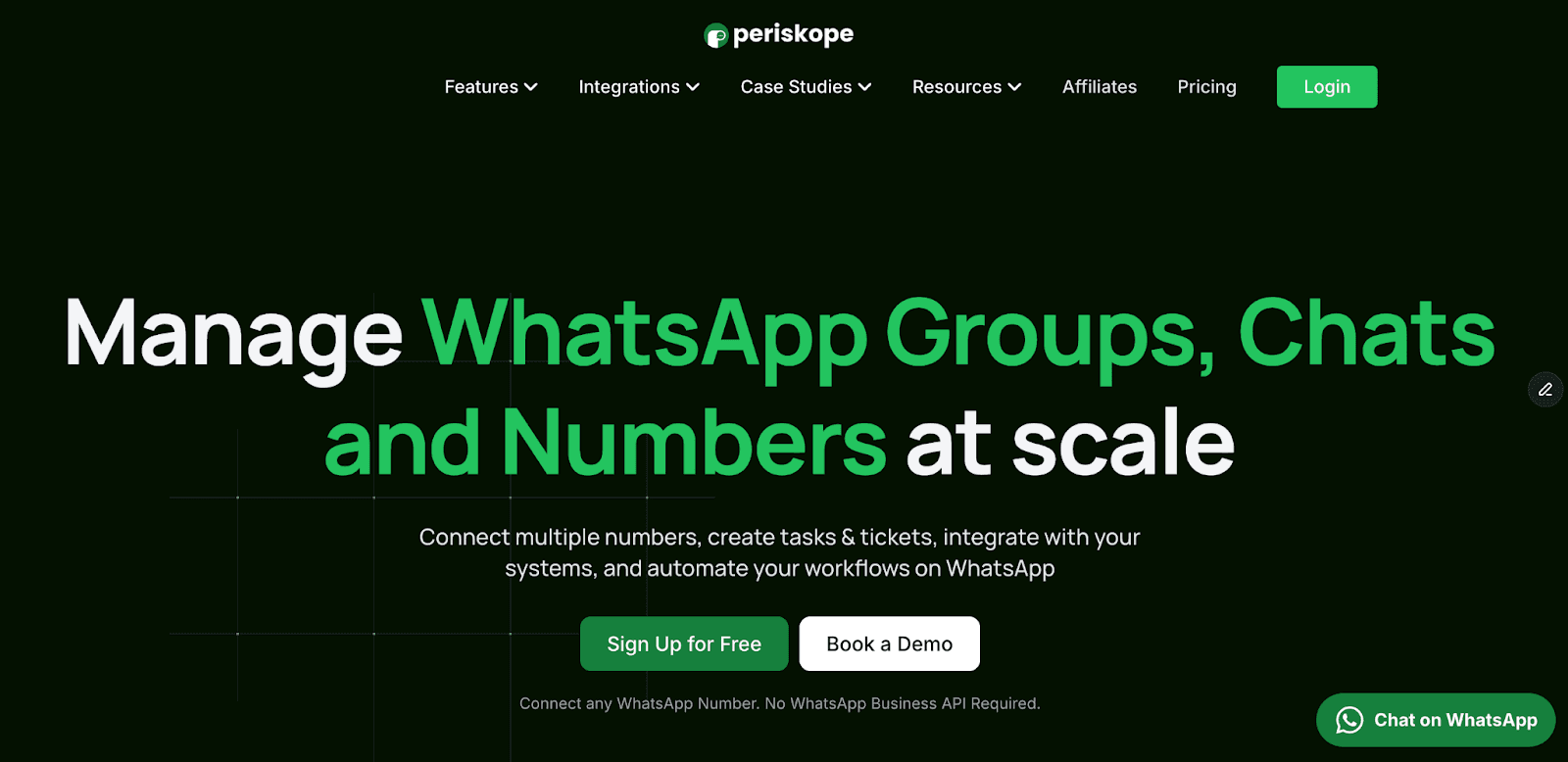
Periskope is built specifically for teams that coordinate through WhatsApp groups. It provides centralized visibility, automatic ticketing, and SLA tracking across thousands of conversations.
Unlike other tools that push you into 1-to-1 customer support models, Periskope handles the reality of how operations teams actually work: through group chats with clients, vendors, and partners.
Key Features:
Multi-Number Dashboard: Connect multiple WhatsApp numbers and manage all conversations from a single interface. Your team sees every message across all groups without needing WhatsApp access on their phones.
Automatic Ticketing: Convert important WhatsApp messages into tickets automatically. Set rules to assign tickets to specific team members based on keywords, sentiment, or custom triggers.
SLA-Based Escalations: Set response time requirements (like 15 minutes) and automatically escalate unanswered messages to separate groups or managers. Never miss urgent requests.
WhatsApp Group Management at Scale: Manage 1,000+ WhatsApp groups from one place. See all conversations, track response times, and monitor team performance across every group.
No WABA Restrictions: Works with regular WhatsApp numbers. No 24-hour conversation windows. No template approvals. No BSP setup. Send messages anytime to anyone.
CRM and Tool Integrations: Connect with HubSpot, Zoho, Freshdesk, Google Sheets, and more. Build custom integrations with Periskope's API and webhooks.
Pricing:
Starter: $25/seat/month. Users and phones are billed separately: the first connected phone is free, each additional phone is $25/month. Unlimited groups, chats, and messages, no per-message fees. AI Agent, bulk messaging (3,000 credits per license per month), ticket creation, basic analytics, APIs/webhooks, and mobile app access.
Pro: $35/seat/month. Everything in Starter + HubSpot, Freshdesk, Zoho integrations. Advanced analytics (per-group performance, SLA tracking, team dashboards). 2 automation rules per license. 5K AI credits per license per month. Each additional phone is $35/month.
Enterprise: Custom pricing (minimum 50 users or phones). Everything in Pro + unlimited automation rules, custom billing, dedicated customer success manager, and priority support.
14-day free trial available
Periskope Pros and Cons
✅ Pros | ❌ Cons |
Only tool built specifically for WhatsApp group workflows at scale | Not designed for 1-to-1 customer support chatbots or marketing broadcast campaigns |
Real-time SLA tracking with automatic escalations | Built for teams (minimum viable at 5+ people managing multiple groups) |
No WABA restrictions (no template approvals, no 24-hour windows, no BSP requirements) | |
Works with regular WhatsApp numbers | |
Strong automation engine with AI capabilities | |
Deep CRM integrations (HubSpot, Zoho, Freshdesk, Google Sheets) and custom API access | |
Unlimited WhatsApp groups and conversations support | |
Team productivity analytics and detailed reporting | |
Multi-agent access without adding phone numbers to groups |
Ready to stop missing important messages in your WhatsApp groups?
Book a demo to see how Periskope manages group conversations at scale with SLA tracking and automatic escalations.
Best for: Operations teams, customer success and sales teams, and B2B businesses managing client communication through WhatsApp groups
Periskope is built specifically for teams that coordinate through WhatsApp groups. It provides centralized visibility, automatic ticketing, and SLA tracking across thousands of conversations.
Unlike other tools that push you into 1-to-1 customer support models, Periskope handles the reality of how operations teams actually work: through group chats with clients, vendors, and partners.
Key Features:
Multi-Number Dashboard: Connect multiple WhatsApp numbers and manage all conversations from a single interface. Your team sees every message across all groups without needing WhatsApp access on their phones.
Automatic Ticketing: Convert important WhatsApp messages into tickets automatically. Set rules to assign tickets to specific team members based on keywords, sentiment, or custom triggers.
SLA-Based Escalations: Set response time requirements (like 15 minutes) and automatically escalate unanswered messages to separate groups or managers. Never miss urgent requests.
WhatsApp Group Management at Scale: Manage 1,000+ WhatsApp groups from one place. See all conversations, track response times, and monitor team performance across every group.
No WABA Restrictions: Works with regular WhatsApp numbers. No 24-hour conversation windows. No template approvals. No BSP setup. Send messages anytime to anyone.
CRM and Tool Integrations: Connect with HubSpot, Zoho, Freshdesk, Google Sheets, and more. Build custom integrations with Periskope's API and webhooks.
Pricing:
Starter: $25/seat/month. Users and phones are billed separately: the first connected phone is free, each additional phone is $25/month. Unlimited groups, chats, and messages, no per-message fees. AI Agent, bulk messaging (3,000 credits per license per month), ticket creation, basic analytics, APIs/webhooks, and mobile app access.
Pro: $35/seat/month. Everything in Starter + HubSpot, Freshdesk, Zoho integrations. Advanced analytics (per-group performance, SLA tracking, team dashboards). 2 automation rules per license. 5K AI credits per license per month. Each additional phone is $35/month.
Enterprise: Custom pricing (minimum 50 users or phones). Everything in Pro + unlimited automation rules, custom billing, dedicated customer success manager, and priority support.
14-day free trial available
Periskope Pros and Cons
✅ Pros | ❌ Cons |
Only tool built specifically for WhatsApp group workflows at scale | Not designed for 1-to-1 customer support chatbots or marketing broadcast campaigns |
Real-time SLA tracking with automatic escalations | Built for teams (minimum viable at 5+ people managing multiple groups) |
No WABA restrictions (no template approvals, no 24-hour windows, no BSP requirements) | |
Works with regular WhatsApp numbers | |
Strong automation engine with AI capabilities | |
Deep CRM integrations (HubSpot, Zoho, Freshdesk, Google Sheets) and custom API access | |
Unlimited WhatsApp groups and conversations support | |
Team productivity analytics and detailed reporting | |
Multi-agent access without adding phone numbers to groups |
Ready to stop missing important messages in your WhatsApp groups?
Book a demo to see how Periskope manages group conversations at scale with SLA tracking and automatic escalations.
2. TimelinesAI
Best for: Sales teams needing real-time CRM sync across multiple WhatsApp numbers.
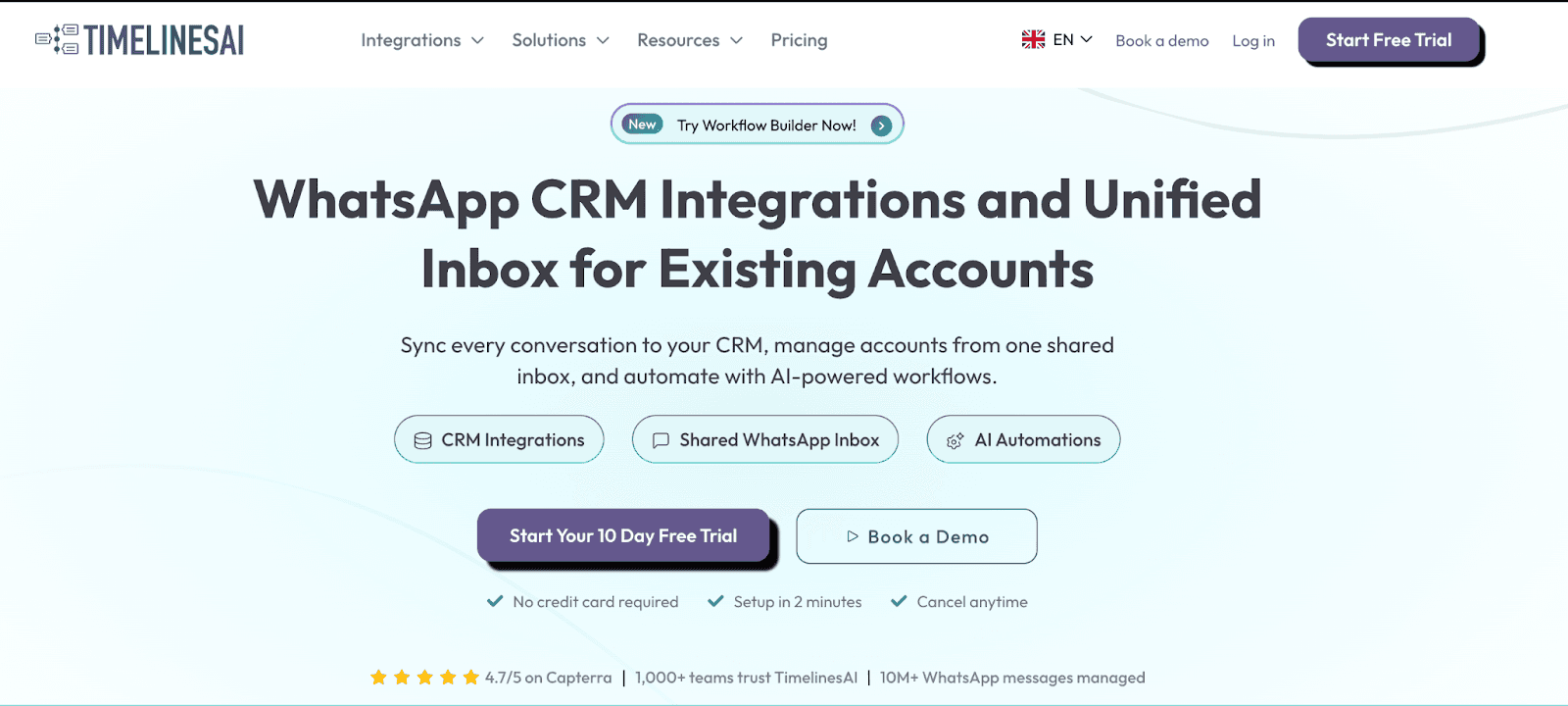
TimelinesAI provides a shared inbox for teams managing WhatsApp conversations across multiple numbers. It works with regular WhatsApp (not Business API) and integrates with popular CRMs.
The tool focuses on making WhatsApp work like a professional support channel, with features like automated assignment, team collaboration, and one-click CRM syncing.
Key Features
Multi-number shared inbox: Connect unlimited numbers, manage from one place
Real-time CRM sync: Conversations and contacts auto-sync to Pipedrive, HubSpot, Zoho, Salesforce, monday.com
Chrome extension: View and reply to WhatsApp messages from inside your CRM
Mass messaging: Upload a CSV and send bulk messages, no per-message fees
ChatGPT integration: AI summaries, auto-responses, and agents
Workflow automation: Zapier, Make, and native webhook support
Team features: Chat assignment, internal notes, labels, and reminders
Works with regular WhatsApp: No Business API required
TimelinesAI Pricing
CRM Integration: $25/seat/month
Shared Inbox: $40/seat/month
Mass Messaging & Automation: $60/seat/month
10-day free trial available
TimelinesAI Pros and Cons
✅ Pros | ❌ Cons |
Works with regular WhatsApp (no WABA needed) | No SLA tracking or escalation features |
Deep CRM integrations (HubSpot, Pipedrive, Salesforce, Zoho) with automatic two-way sync | Limited automation compared to enterprise tools |
Chrome extension lets you reply to WhatsApp from inside your CRM | Not built for managing hundreds of groups at scale |
Mass messaging with CSV upload (no per-message fees) | Fewer advanced analytics and reporting options |
Team features: chat assignment, internal notes, labels | No WhatsApp group ticketing or automated workflows |
Best for: Sales teams needing real-time CRM sync across multiple WhatsApp numbers.
TimelinesAI provides a shared inbox for teams managing WhatsApp conversations across multiple numbers. It works with regular WhatsApp (not Business API) and integrates with popular CRMs.
The tool focuses on making WhatsApp work like a professional support channel, with features like automated assignment, team collaboration, and one-click CRM syncing.
Key Features
Multi-number shared inbox: Connect unlimited numbers, manage from one place
Real-time CRM sync: Conversations and contacts auto-sync to Pipedrive, HubSpot, Zoho, Salesforce, monday.com
Chrome extension: View and reply to WhatsApp messages from inside your CRM
Mass messaging: Upload a CSV and send bulk messages, no per-message fees
ChatGPT integration: AI summaries, auto-responses, and agents
Workflow automation: Zapier, Make, and native webhook support
Team features: Chat assignment, internal notes, labels, and reminders
Works with regular WhatsApp: No Business API required
TimelinesAI Pricing
CRM Integration: $25/seat/month
Shared Inbox: $40/seat/month
Mass Messaging & Automation: $60/seat/month
10-day free trial available
TimelinesAI Pros and Cons
✅ Pros | ❌ Cons |
Works with regular WhatsApp (no WABA needed) | No SLA tracking or escalation features |
Deep CRM integrations (HubSpot, Pipedrive, Salesforce, Zoho) with automatic two-way sync | Limited automation compared to enterprise tools |
Chrome extension lets you reply to WhatsApp from inside your CRM | Not built for managing hundreds of groups at scale |
Mass messaging with CSV upload (no per-message fees) | Fewer advanced analytics and reporting options |
Team features: chat assignment, internal notes, labels | No WhatsApp group ticketing or automated workflows |
3. Eazybe
Best for: Sales teams and account managers who want CRM data visible directly inside WhatsApp Web.
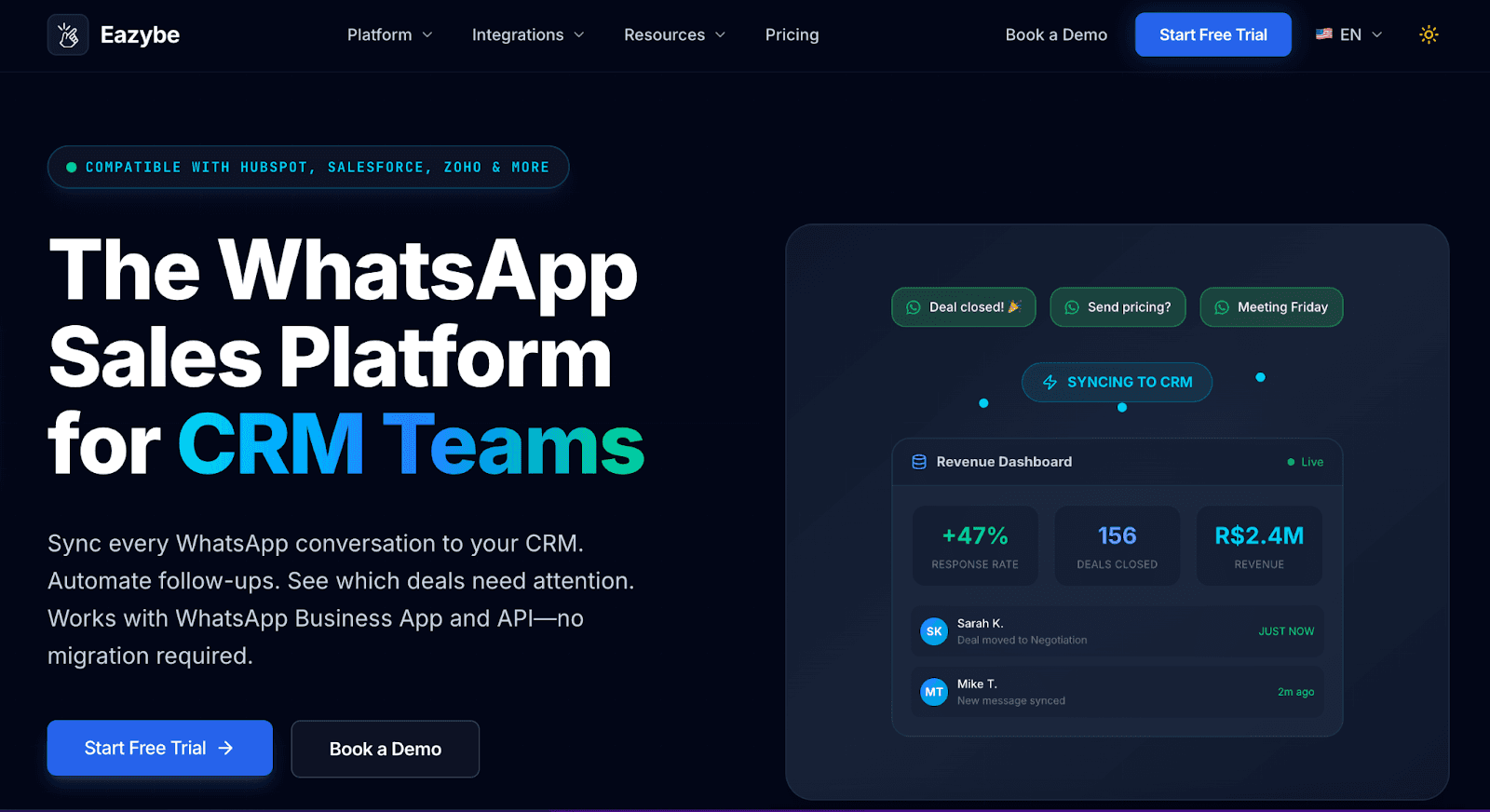
Eazybe works as both a Chrome extension and a web platform. Install it and you can see HubSpot, Zoho, Salesforce, or Google Sheets contact records without leaving WhatsApp: update deal stages, log notes, save conversations, all from the same tab.
Beyond CRM, it adds quick replies with attachments, message scheduling, labels, and a team inbox with ownership tracking. It's the most affordable entry point for teams who want structured CRM workflows on WhatsApp.
Key Features
CRM inside WhatsApp Web: See and update HubSpot, Zoho, Salesforce, Bitrix, or Google Sheets contacts without switching tabs
Real-time sync: Every chat goes straight into your CRM and team inbox
Chat backup: Saves 1:1 and group conversations to your CRM automatically
Quick replies: Reusable templates with attachments
Message scheduling: Schedule follow-ups in advance
Team inbox: Shared access with ownership tracking
Broadcasting: Bulk messages to contact lists
AI features: Unreplied chat alerts and ChatGPT reply suggestions
Eazybe Pricing
Starter: $13/user/month
Scaler: $22/user/month
14-day free trial available
Eazybe Pros and Cons
✅ Pros | ❌ Cons |
Works with regular WhatsApp numbers | Only suitable for sales teams, not operations or support workflows |
AI features help prioritize high-value leads automatically | AI features require time and data to train effectively |
Team performance tracking with conversion metrics | No group management or SLA tracking capabilities |
Good CRM integrations for pipeline management |
Best for: Sales teams and account managers who want CRM data visible directly inside WhatsApp Web.
Eazybe works as both a Chrome extension and a web platform. Install it and you can see HubSpot, Zoho, Salesforce, or Google Sheets contact records without leaving WhatsApp: update deal stages, log notes, save conversations, all from the same tab.
Beyond CRM, it adds quick replies with attachments, message scheduling, labels, and a team inbox with ownership tracking. It's the most affordable entry point for teams who want structured CRM workflows on WhatsApp.
Key Features
CRM inside WhatsApp Web: See and update HubSpot, Zoho, Salesforce, Bitrix, or Google Sheets contacts without switching tabs
Real-time sync: Every chat goes straight into your CRM and team inbox
Chat backup: Saves 1:1 and group conversations to your CRM automatically
Quick replies: Reusable templates with attachments
Message scheduling: Schedule follow-ups in advance
Team inbox: Shared access with ownership tracking
Broadcasting: Bulk messages to contact lists
AI features: Unreplied chat alerts and ChatGPT reply suggestions
Eazybe Pricing
Starter: $13/user/month
Scaler: $22/user/month
14-day free trial available
Eazybe Pros and Cons
✅ Pros | ❌ Cons |
Works with regular WhatsApp numbers | Only suitable for sales teams, not operations or support workflows |
AI features help prioritize high-value leads automatically | AI features require time and data to train effectively |
Team performance tracking with conversion metrics | No group management or SLA tracking capabilities |
Good CRM integrations for pipeline management |
4. 2Chat
Best for: Small teams that want a chatbot, shared inbox, and automation, without needing the WhatsApp Business API.
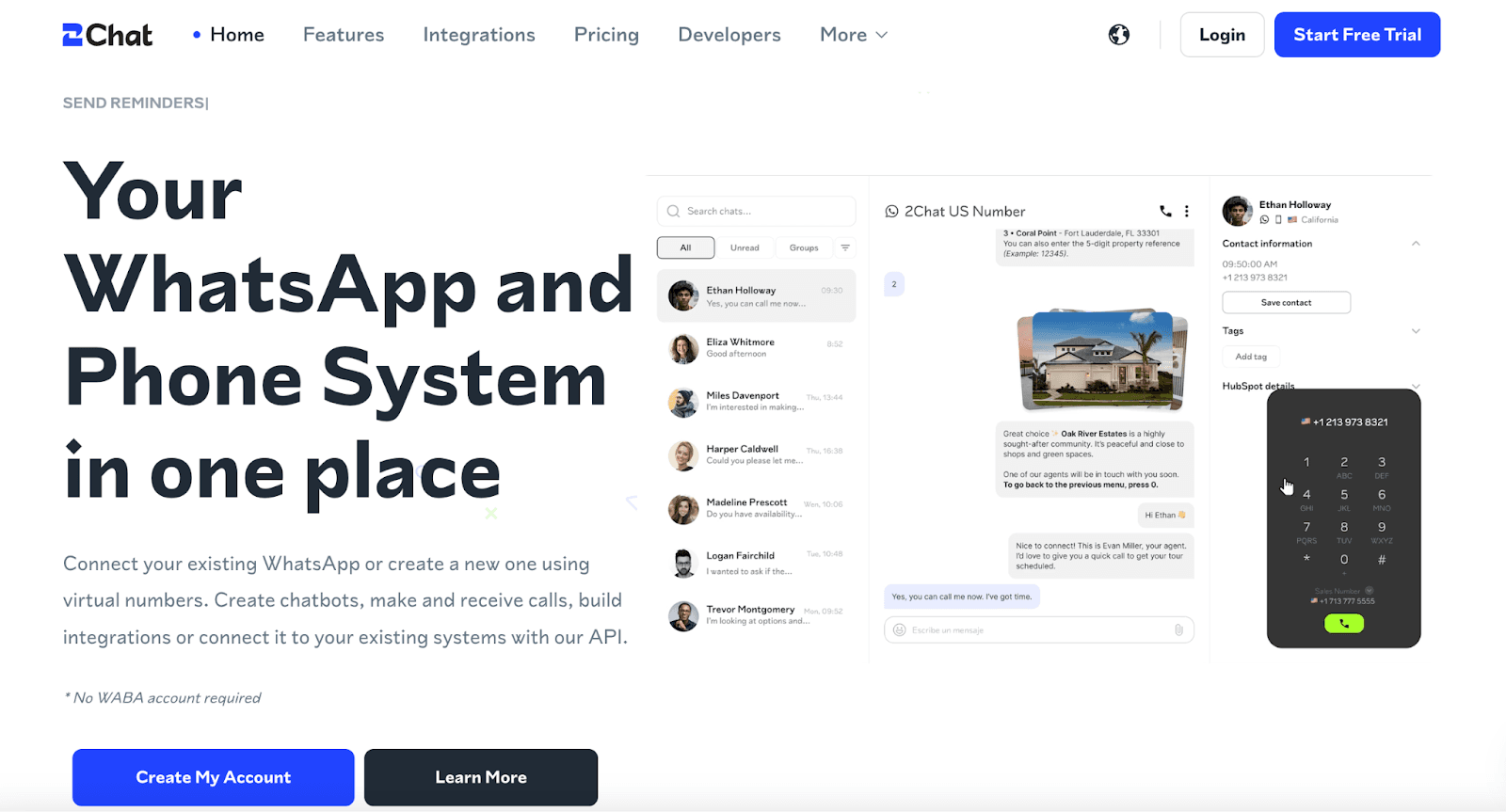
2Chat connects to your existing WhatsApp number via QR code, the same way WhatsApp Web does.
No API account, no Meta approval, no migration. You get a shared inbox, a drag-and-drop bot builder, bulk messaging, and reporting. It's clean, well-reviewed, and works well for teams of 1 to 10 people who want structure without the complexity of a full enterprise platform.
Key Features
Shared multi-agent inbox: Multiple team members handle the same WhatsApp number simultaneously
Drag-and-drop bot builder: Build chatbot flows without writing code
Bulk messaging: Send to contact lists without per-message costs
Multi-number support: Connect multiple WhatsApp numbers to one account
Audio transcription: Auto-transcribe voice messages (higher tiers)
Reporting: Track conversation topics, response times, and agent performance
Integrations: Zapier, Make, Slack, HubSpot
Virtual numbers: Buy numbers from 90+ countries
No WhatsApp Business API required
2Chat Pricing
Basic: $19/month
Team: $49/month
Business: $99/month
7-day free trial available
2Chat Pros and Cons
✅ Pros | ❌ Cons |
Works with regular WhatsApp (no WABA needed) | Must limit bulk messaging to ~30 messages/hour to avoid WhatsApp blocks |
API access and webhooks for custom integrations | Basic reporting and analytics compared to enterprise platforms |
Zapier and Make integration connects WhatsApp to thousands of apps | Limited team collaboration features for larger operations |
Drag-and-drop chatbot builder requires no coding | No SLA tracking or escalation management |
Supports both WhatsApp groups and 1-to-1 chats | Message scheduling but no advanced workflow automation |
📌 Chrome Extensions: A Different Kind of Alternative
The four tools below are Chrome extensions; they run inside your browser and enhance WhatsApp Web rather than replacing it.
They're the lightest-weight option on this list: no new platform to learn, no number migration, no team inbox setup. Just install, connect to WhatsApp Web, and unlock features that WhatsApp doesn't offer natively.
The trade-off is that Chrome extensions are inherently more fragile than dedicated platforms.
Any update to WhatsApp Web's interface can temporarily break features. They're best for individuals or very small teams with straightforward needs, not for scaling operations across dozens of agents.
5. WAWCD
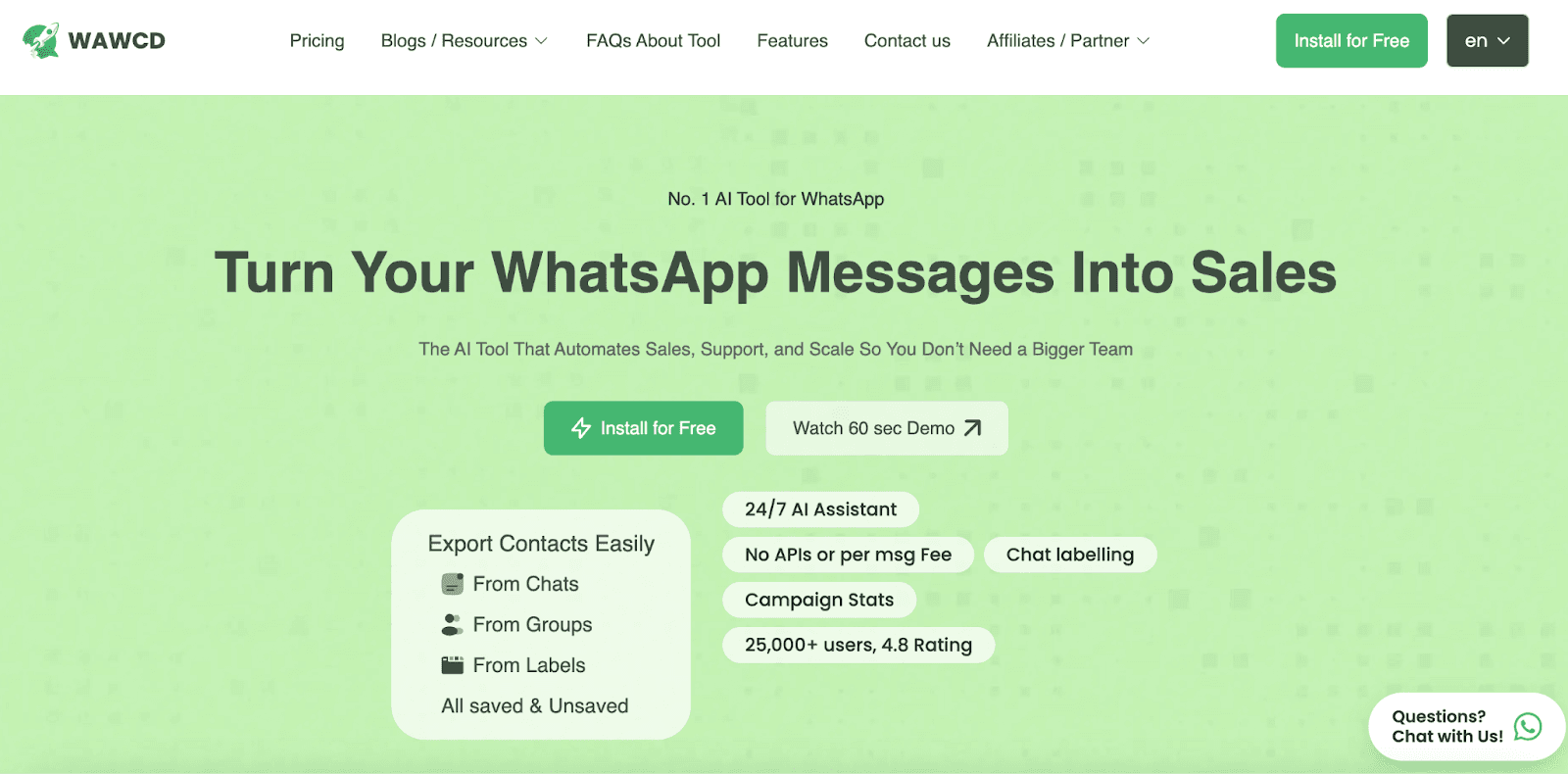
Best for: Individuals and small businesses wanting bulk messaging, AI-powered replies, and contact export inside WhatsApp Web.
WAWCD is a ChatGPT-powered Chrome extension for WhatsApp Web. It's used by 20,000+ users and focuses on three core problems: messaging at scale without API costs, AI-assisted reply composition, and contact management (exporting from groups and chats).
Key Features
Unlimited bulk messaging: Send mass messages directly from WhatsApp Web, no APIs, no per-message cost
ChatGPT-powered AI assistant: Automated replies, reply suggestions, message rephrase
Contact export: Export contacts from any WhatsApp chat or group (saved, unsaved, group members) to CSV
Privacy tools: Blur chats, hide contact names, prevent screenshots
Message scheduling: Set delayed replies and timed sends
Campaign management: Chat labeling and basic reporting
Broadcasting: Send to multiple recipients with media support
WAWCD Pricing
Basic: $8/month
Pro: $18/month
Premium: $27/month
Free trial available
WAWCD Pros and Cons
✅ Pros | ❌ Cons |
Strong privacy controls (hide online status, read receipts, typing indicators) | Browser-only, requires keeping WhatsApp Web open |
Bulk messaging with CSV upload and variable personalization | Limited to Chrome browser, no mobile access |
ChatGPT integration for drafting messages, summaries, and auto-responses | No CRM integration, ticketing, or automation workflows |
Message scheduling and auto-reply features | Cannot handle business-scale operations or high volumes |
All data stored locally (no cloud servers) | No analytics, reporting, or performance tracking |
No team collaboration or multi-agent features |
6. WA Web Plus
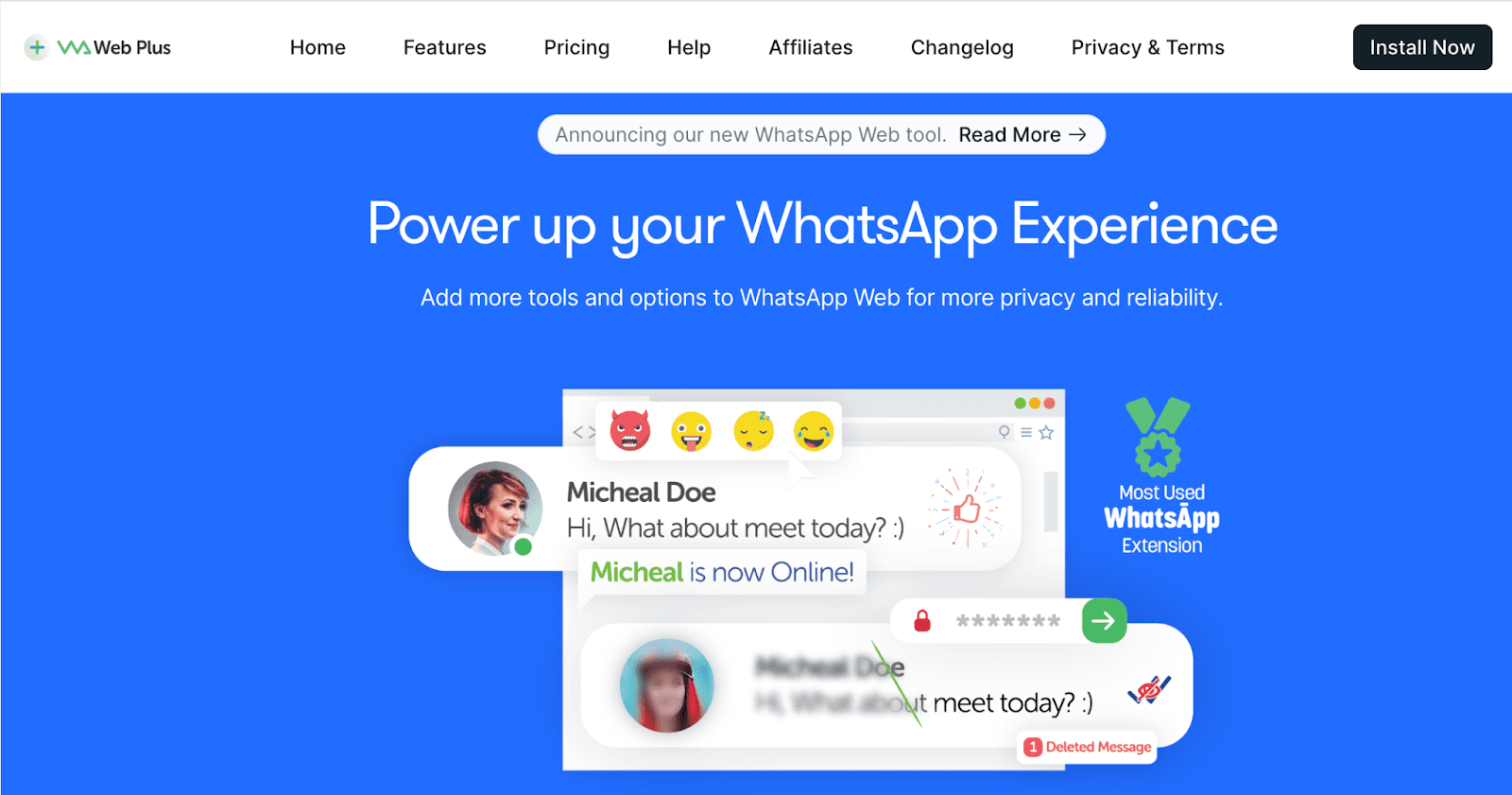
Best for: WhatsApp Web users who want privacy controls, business productivity tools, and UI customization in a single extension.
WA Web Plus is one of the most well-known WhatsApp Chrome extensions, with a broad feature set covering business tools (bulk messaging, auto-replies, contact sync, CRM integration), privacy controls, and interface customization.
Key Features
Multi-message broadcast: Send bulk messages to multiple contacts
Smart auto-replies: Set keyword-triggered or time-based automatic responses
Contact sync: Sync WhatsApp contacts with your CRM
CRM integration: Connect with HubSpot, Zoho, Salesforce
Privacy controls: Incognito mode, hide last seen, disable read receipts, blur chats
Dark mode and themes: UI customization
Message reactions, pinned chats, status notifications
Scheduled messaging
WA Web Plus Pricing
Starter: $11.99/month
Professional: $27.99/month
Expert: $39.99/month
WA Web Plus Pros and Cons
✅ Pros | ❌ Cons |
Privacy controls (hide online status, read receipts) | Individual user focus only, not for teams |
Quick reply templates with keyboard shortcuts | Very basic functionality compared to platforms |
Bulk media download from group chats | No SLA tracking or ticketing system |
No registration or account needed | Cannot manage multiple agents or conversations at scale |
7. Cooby
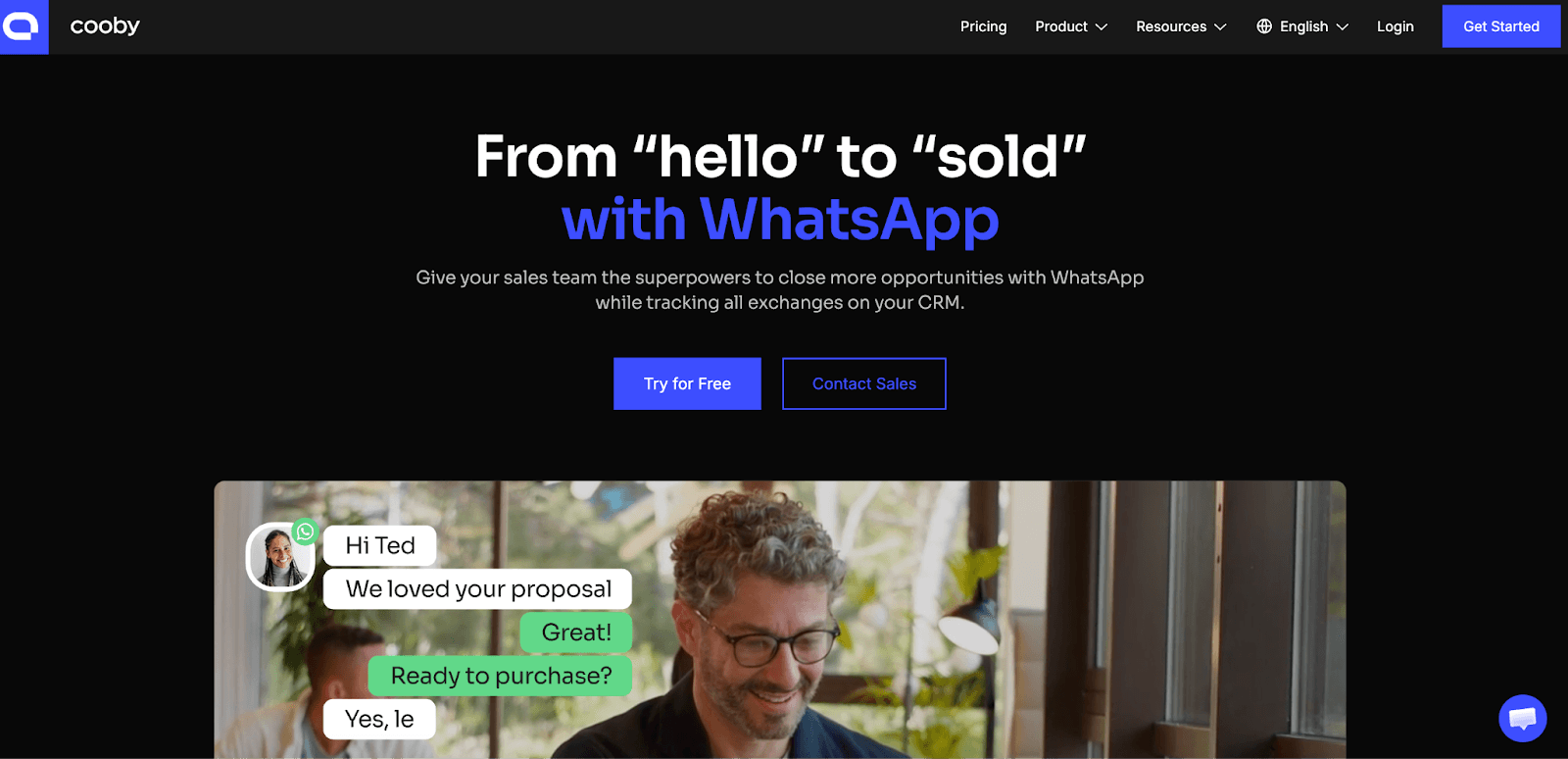
Best for: HubSpot-using sales reps who want WhatsApp conversations automatically logged and CRM records updated without leaving WhatsApp.
Cooby is a Chrome extension built specifically for sales teams. Its standout feature is deep HubSpot integration: every WhatsApp conversation is automatically logged, contacts are synced, notes and tasks are created directly from WhatsApp, and sales activity reports are pulled directly into HubSpot workflows.
If your team lives in HubSpot and closes deals over WhatsApp, Cooby is the most purpose-built option for that workflow.
Key Features
HubSpot integration: Log conversations, update deals, create tasks and notes directly from WhatsApp Web
CRM data in WhatsApp: See HubSpot contact details and deal stages inside your chat view
Sales activity reports: Generate HubSpot activity reports from WhatsApp message data
Chat organization: Sort chats into tabs (Unread, Needs Reply, Awaiting Reply, etc.)
Reminders: Set follow-up reminders on any conversation
Broadcast messaging: Send templated messages to contact lists
Team features: Multi-member access with visibility into rep conversations
Cooby Pricing
Starter: $15.99/month
Growth: $25.49/month
Free trial available
Cooby Pros and Cons
✅ Pros | ❌ Cons |
Task reminders and follow-up notifications for specific chats | Only integrates with HubSpot |
Inbox zero workflow (To Do, Follow Up, Done categories) | Not suitable for large teams or high-volume operations |
Saved replies with keyboard shortcuts for faster responses | Limited automation and no advanced analytics |
Team notes: add private context to contacts visible only to your team | No API access or webhook support |
Contact tagging and filtering for organization | Cannot handle WhatsApp groups at scale |
8. WAPlus CRM
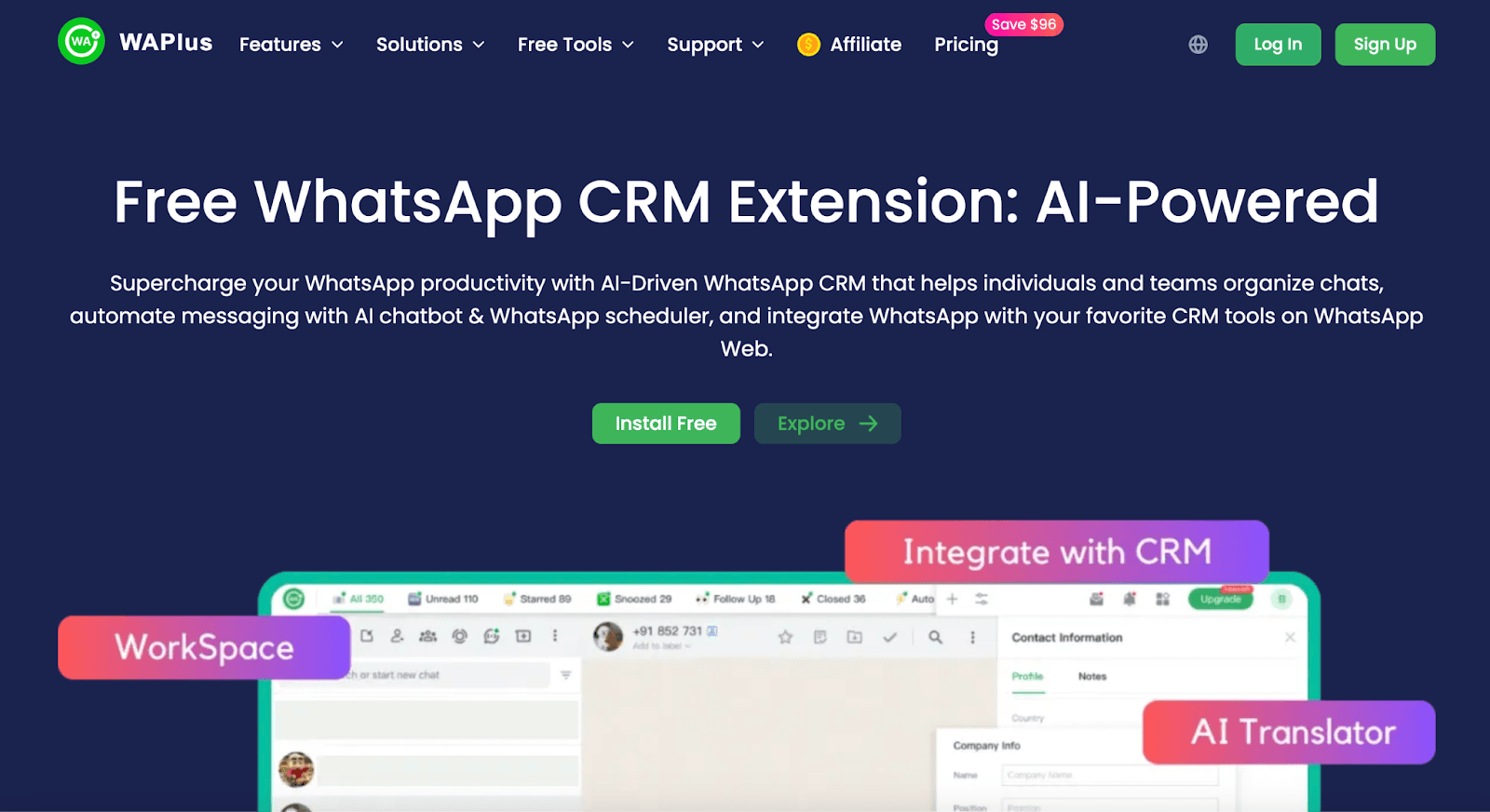
Best for: Freelancers, SMBs, and small sales teams wanting CRM features, scheduling, AI, and workspace organization inside WhatsApp Web.
WAPlus (also known as WA-CRM) is a Chrome extension that's earned a reputation as the best free alternative to WA Web Plus.
It offers workspace organization, scheduled messaging, ChatGPT integration, contact labeling, and CRM connections (HubSpot, Zoho) with a free tier that covers most individual use cases. Paid plans unlock more integrations and team features.
Key Features
Workspace organization: Group conversations into custom workspaces for different clients or projects
CRM integration: HubSpot, Zoho, and others. View and update records from WhatsApp
Scheduled messaging: Set messages to send at specific times
ChatGPT AI chatbot: AI-powered replies and message drafting
Contact labels: Tag and organize contacts with custom labels
Quick replies/templates: Save and reuse common messages
Auto-reply: Set keyword-triggered automatic responses
WhatsApp Web enhancement tools: Status notifications, multi-pin, and more
WAPlus Pricing
Free plan available: covers core features for individuals
Starter: $18.99/month
Pro: $24.99/month
Growth: $28.99/month
WAPlus Pros and Cons
✅ Pros | ❌ Cons |
Contact notes to record customer details and deal information | No team collaboration features |
Conversation labels (Hot Lead, Customer, Follow Up) with filtering | No automation, external integrations, or API access |
Quick replies for common responses | Will outgrow quickly as the business scales |
Reminder notifications with browser alerts | No SLA tracking, escalations, or ticketing |
Basic analytics (message counts, response times, conversation frequency) | Cannot manage multiple agents or team workflows |
How to Choose the Right WhatsApp Alternative?
The right WABA alternative tool depends on what problem you're trying to solve. Here's how to decide:
➤ Choose Periskope if:
You manage client relationships, operations, or vendor coordination through WhatsApp groups (not just 1-to-1 chats). Your team needs to ensure nothing gets missed: no booking requests, no urgent escalations, no client questions buried in group noise.
You need accountability with clear ownership and response time tracking. You're managing dozens or hundreds of groups and can't keep up manually anymore.
Bottom line: If missing a message could cost you revenue or damage a client relationship, and you coordinate through groups, Periskope solves this.
→ or Book a demo to see group management in action.
➤ Choose Other Platforms if:
You handle 1-to-1 customer conversations through WhatsApp and need your team to share access.
You need basic automation like chatbots, auto-assignment, or scheduled messages. You're a small team (under 20 people) that needs shared inbox features without enterprise complexity.
➤ Choose Chrome Extensions if:
You're an individual user, freelancer, or very small team (1-3 people) who just needs WhatsApp to work a bit better.
You want free tools that add quick replies, privacy controls, or basic organization. You don't need team collaboration, automation, or integrations yet. You're willing to manage everything manually in exchange for paying nothing.
➤ The Real Question: What Happens When Messages Get Missed?
Most teams start with free extensions or basic platforms. They work fine until:
A client escalates via email because their WhatsApp message was ignored
An important booking request gets buried in group notifications
No one knows who's responsible for responding to what
The team grows and manual coordination breaks down
If missing messages have real consequences for your business, you need proper infrastructure. That's what Periskope provides: not more features, but insurance against things slipping through the cracks.
Coordinating enterprise bookings, client projects, or vendor operations through WhatsApp groups?
Periskope ensures nothing gets missed with automatic ticketing, SLA tracking, and real-time escalations.
Book a demo to see how teams manage 1000+ groups →
FAQs
1. Is there an alternative to the WhatsApp Business API?
Yes, and for most teams, the alternatives work better. Tools like Periskope, TimelinesAI, and 2Chat connect to your existing WhatsApp number using the same connection your browser uses at web.whatsapp.com.
No Meta approval process, no per-message fees, no template restrictions, and setup in minutes. The main trade-off is that you won't get a green tick or access to Meta ad integrations.
2. What is the best WhatsApp Business alternative for teams?
For teams, Periskope is the strongest full-platform option, especially if your work involves groups, ticketing, and CRM integration.
For smaller teams focused on 1:1 sales, TimelinesAI, Eazybe, and 2Chat are great fits. Chrome extensions like Cooby work well for individual contributors who want CRM syncing without setting up a new platform.
3. What are the best WhatsApp Business API alternatives in India?
All tools on this list work in India. Periskope and Eazybe both have strong Indian user bases, and they also offer INR pricing.
For Indian businesses running operations on WhatsApp groups (logistics, edtech, real estate, financial services), Periskope's group management is especially relevant given how central group communication is in Indian business workflows. If you stay on the API instead, note that from October 1, 2026, Meta also charges service replies in India (about $0.0014 per message after the first 1,000 free each month).
4. What is the alternative to WhatsApp Business broadcast?
If you want to send bulk messages without the API, no Meta approval, no per-message costs: Periskope (bulk group and contact messaging), TimelinesAI (CSV-based mass messaging), 2Chat, and WAWCD all support broadcasting on regular WhatsApp.
5. Do these tools charge per message?
None of them do. All use flat monthly subscriptions.
This is a big difference from API-based tools like WATI, Interakt, AiSensy, and Respond.io, which bill Meta per-message fees (plus a platform markup of 12 to 20%) on top of their monthly plans.
At volume, that difference is significant.
6. Can I try these tools before paying?
Yes. All tools offer a free trial or free plan:
Periskope: 14-day free trial
TimelinesAI: 10-day free trial
Eazybe: 14-day free trial
2Chat: 7-day free trial (no credit card)
WAWCD: Free plan + free trial
WA Web Plus: Free tier available
Cooby: Free trial available
WAPlus: Free plan (no trial needed)
7. What is the best alternative to WATI?
It depends on what you need. WATI is built on the WhatsApp Business API, which means it has the same limitations: no support for groups, per-message pricing, and message templates that require Meta approval.
If your team needs to manage WhatsApp groups, track SLAs, or give multiple agents access without WABA costs, Periskope is the most direct alternative: it works with regular WhatsApp, has no per-message fees, and includes full group management.
If you only need a basic shared inbox and chatbot for 1:1 conversations, 2Chat or TimelinesAI are good lower-cost options.
Best for: Small teams that want a chatbot, shared inbox, and automation, without needing the WhatsApp Business API.
2Chat connects to your existing WhatsApp number via QR code, the same way WhatsApp Web does.
No API account, no Meta approval, no migration. You get a shared inbox, a drag-and-drop bot builder, bulk messaging, and reporting. It's clean, well-reviewed, and works well for teams of 1 to 10 people who want structure without the complexity of a full enterprise platform.
Key Features
Shared multi-agent inbox: Multiple team members handle the same WhatsApp number simultaneously
Drag-and-drop bot builder: Build chatbot flows without writing code
Bulk messaging: Send to contact lists without per-message costs
Multi-number support: Connect multiple WhatsApp numbers to one account
Audio transcription: Auto-transcribe voice messages (higher tiers)
Reporting: Track conversation topics, response times, and agent performance
Integrations: Zapier, Make, Slack, HubSpot
Virtual numbers: Buy numbers from 90+ countries
No WhatsApp Business API required
2Chat Pricing
Basic: $19/month
Team: $49/month
Business: $99/month
7-day free trial available
2Chat Pros and Cons
✅ Pros | ❌ Cons |
Works with regular WhatsApp (no WABA needed) | Must limit bulk messaging to ~30 messages/hour to avoid WhatsApp blocks |
API access and webhooks for custom integrations | Basic reporting and analytics compared to enterprise platforms |
Zapier and Make integration connects WhatsApp to thousands of apps | Limited team collaboration features for larger operations |
Drag-and-drop chatbot builder requires no coding | No SLA tracking or escalation management |
Supports both WhatsApp groups and 1-to-1 chats | Message scheduling but no advanced workflow automation |
📌 Chrome Extensions: A Different Kind of Alternative
The four tools below are Chrome extensions; they run inside your browser and enhance WhatsApp Web rather than replacing it.
They're the lightest-weight option on this list: no new platform to learn, no number migration, no team inbox setup. Just install, connect to WhatsApp Web, and unlock features that WhatsApp doesn't offer natively.
The trade-off is that Chrome extensions are inherently more fragile than dedicated platforms.
Any update to WhatsApp Web's interface can temporarily break features. They're best for individuals or very small teams with straightforward needs, not for scaling operations across dozens of agents.
5. WAWCD
Best for: Individuals and small businesses wanting bulk messaging, AI-powered replies, and contact export inside WhatsApp Web.
WAWCD is a ChatGPT-powered Chrome extension for WhatsApp Web. It's used by 20,000+ users and focuses on three core problems: messaging at scale without API costs, AI-assisted reply composition, and contact management (exporting from groups and chats).
Key Features
Unlimited bulk messaging: Send mass messages directly from WhatsApp Web, no APIs, no per-message cost
ChatGPT-powered AI assistant: Automated replies, reply suggestions, message rephrase
Contact export: Export contacts from any WhatsApp chat or group (saved, unsaved, group members) to CSV
Privacy tools: Blur chats, hide contact names, prevent screenshots
Message scheduling: Set delayed replies and timed sends
Campaign management: Chat labeling and basic reporting
Broadcasting: Send to multiple recipients with media support
WAWCD Pricing
Basic: $8/month
Pro: $18/month
Premium: $27/month
Free trial available
WAWCD Pros and Cons
✅ Pros | ❌ Cons |
Strong privacy controls (hide online status, read receipts, typing indicators) | Browser-only, requires keeping WhatsApp Web open |
Bulk messaging with CSV upload and variable personalization | Limited to Chrome browser, no mobile access |
ChatGPT integration for drafting messages, summaries, and auto-responses | No CRM integration, ticketing, or automation workflows |
Message scheduling and auto-reply features | Cannot handle business-scale operations or high volumes |
All data stored locally (no cloud servers) | No analytics, reporting, or performance tracking |
No team collaboration or multi-agent features |
6. WA Web Plus
Best for: WhatsApp Web users who want privacy controls, business productivity tools, and UI customization in a single extension.
WA Web Plus is one of the most well-known WhatsApp Chrome extensions, with a broad feature set covering business tools (bulk messaging, auto-replies, contact sync, CRM integration), privacy controls, and interface customization.
Key Features
Multi-message broadcast: Send bulk messages to multiple contacts
Smart auto-replies: Set keyword-triggered or time-based automatic responses
Contact sync: Sync WhatsApp contacts with your CRM
CRM integration: Connect with HubSpot, Zoho, Salesforce
Privacy controls: Incognito mode, hide last seen, disable read receipts, blur chats
Dark mode and themes: UI customization
Message reactions, pinned chats, status notifications
Scheduled messaging
WA Web Plus Pricing
Starter: $11.99/month
Professional: $27.99/month
Expert: $39.99/month
WA Web Plus Pros and Cons
✅ Pros | ❌ Cons |
Privacy controls (hide online status, read receipts) | Individual user focus only, not for teams |
Quick reply templates with keyboard shortcuts | Very basic functionality compared to platforms |
Bulk media download from group chats | No SLA tracking or ticketing system |
No registration or account needed | Cannot manage multiple agents or conversations at scale |
7. Cooby
Best for: HubSpot-using sales reps who want WhatsApp conversations automatically logged and CRM records updated without leaving WhatsApp.
Cooby is a Chrome extension built specifically for sales teams. Its standout feature is deep HubSpot integration: every WhatsApp conversation is automatically logged, contacts are synced, notes and tasks are created directly from WhatsApp, and sales activity reports are pulled directly into HubSpot workflows.
If your team lives in HubSpot and closes deals over WhatsApp, Cooby is the most purpose-built option for that workflow.
Key Features
HubSpot integration: Log conversations, update deals, create tasks and notes directly from WhatsApp Web
CRM data in WhatsApp: See HubSpot contact details and deal stages inside your chat view
Sales activity reports: Generate HubSpot activity reports from WhatsApp message data
Chat organization: Sort chats into tabs (Unread, Needs Reply, Awaiting Reply, etc.)
Reminders: Set follow-up reminders on any conversation
Broadcast messaging: Send templated messages to contact lists
Team features: Multi-member access with visibility into rep conversations
Cooby Pricing
Starter: $15.99/month
Growth: $25.49/month
Free trial available
Cooby Pros and Cons
✅ Pros | ❌ Cons |
Task reminders and follow-up notifications for specific chats | Only integrates with HubSpot |
Inbox zero workflow (To Do, Follow Up, Done categories) | Not suitable for large teams or high-volume operations |
Saved replies with keyboard shortcuts for faster responses | Limited automation and no advanced analytics |
Team notes: add private context to contacts visible only to your team | No API access or webhook support |
Contact tagging and filtering for organization | Cannot handle WhatsApp groups at scale |
8. WAPlus CRM
Best for: Freelancers, SMBs, and small sales teams wanting CRM features, scheduling, AI, and workspace organization inside WhatsApp Web.
WAPlus (also known as WA-CRM) is a Chrome extension that's earned a reputation as the best free alternative to WA Web Plus.
It offers workspace organization, scheduled messaging, ChatGPT integration, contact labeling, and CRM connections (HubSpot, Zoho) with a free tier that covers most individual use cases. Paid plans unlock more integrations and team features.
Key Features
Workspace organization: Group conversations into custom workspaces for different clients or projects
CRM integration: HubSpot, Zoho, and others. View and update records from WhatsApp
Scheduled messaging: Set messages to send at specific times
ChatGPT AI chatbot: AI-powered replies and message drafting
Contact labels: Tag and organize contacts with custom labels
Quick replies/templates: Save and reuse common messages
Auto-reply: Set keyword-triggered automatic responses
WhatsApp Web enhancement tools: Status notifications, multi-pin, and more
WAPlus Pricing
Free plan available: covers core features for individuals
Starter: $18.99/month
Pro: $24.99/month
Growth: $28.99/month
WAPlus Pros and Cons
✅ Pros | ❌ Cons |
Contact notes to record customer details and deal information | No team collaboration features |
Conversation labels (Hot Lead, Customer, Follow Up) with filtering | No automation, external integrations, or API access |
Quick replies for common responses | Will outgrow quickly as the business scales |
Reminder notifications with browser alerts | No SLA tracking, escalations, or ticketing |
Basic analytics (message counts, response times, conversation frequency) | Cannot manage multiple agents or team workflows |
How to Choose the Right WhatsApp Alternative?
The right WABA alternative tool depends on what problem you're trying to solve. Here's how to decide:
➤ Choose Periskope if:
You manage client relationships, operations, or vendor coordination through WhatsApp groups (not just 1-to-1 chats). Your team needs to ensure nothing gets missed: no booking requests, no urgent escalations, no client questions buried in group noise.
You need accountability with clear ownership and response time tracking. You're managing dozens or hundreds of groups and can't keep up manually anymore.
Bottom line: If missing a message could cost you revenue or damage a client relationship, and you coordinate through groups, Periskope solves this.
→ or Book a demo to see group management in action.
➤ Choose Other Platforms if:
You handle 1-to-1 customer conversations through WhatsApp and need your team to share access.
You need basic automation like chatbots, auto-assignment, or scheduled messages. You're a small team (under 20 people) that needs shared inbox features without enterprise complexity.
➤ Choose Chrome Extensions if:
You're an individual user, freelancer, or very small team (1-3 people) who just needs WhatsApp to work a bit better.
You want free tools that add quick replies, privacy controls, or basic organization. You don't need team collaboration, automation, or integrations yet. You're willing to manage everything manually in exchange for paying nothing.
➤ The Real Question: What Happens When Messages Get Missed?
Most teams start with free extensions or basic platforms. They work fine until:
A client escalates via email because their WhatsApp message was ignored
An important booking request gets buried in group notifications
No one knows who's responsible for responding to what
The team grows and manual coordination breaks down
If missing messages have real consequences for your business, you need proper infrastructure. That's what Periskope provides: not more features, but insurance against things slipping through the cracks.
Coordinating enterprise bookings, client projects, or vendor operations through WhatsApp groups?
Periskope ensures nothing gets missed with automatic ticketing, SLA tracking, and real-time escalations.
Book a demo to see how teams manage 1000+ groups →
FAQs
1. Is there an alternative to the WhatsApp Business API?
Yes, and for most teams, the alternatives work better. Tools like Periskope, TimelinesAI, and 2Chat connect to your existing WhatsApp number using the same connection your browser uses at web.whatsapp.com.
No Meta approval process, no per-message fees, no template restrictions, and setup in minutes. The main trade-off is that you won't get a green tick or access to Meta ad integrations.
2. What is the best WhatsApp Business alternative for teams?
For teams, Periskope is the strongest full-platform option, especially if your work involves groups, ticketing, and CRM integration.
For smaller teams focused on 1:1 sales, TimelinesAI, Eazybe, and 2Chat are great fits. Chrome extensions like Cooby work well for individual contributors who want CRM syncing without setting up a new platform.
3. What are the best WhatsApp Business API alternatives in India?
All tools on this list work in India. Periskope and Eazybe both have strong Indian user bases, and they also offer INR pricing.
For Indian businesses running operations on WhatsApp groups (logistics, edtech, real estate, financial services), Periskope's group management is especially relevant given how central group communication is in Indian business workflows. If you stay on the API instead, note that from October 1, 2026, Meta also charges service replies in India (about $0.0014 per message after the first 1,000 free each month).
4. What is the alternative to WhatsApp Business broadcast?
If you want to send bulk messages without the API, no Meta approval, no per-message costs: Periskope (bulk group and contact messaging), TimelinesAI (CSV-based mass messaging), 2Chat, and WAWCD all support broadcasting on regular WhatsApp.
5. Do these tools charge per message?
None of them do. All use flat monthly subscriptions.
This is a big difference from API-based tools like WATI, Interakt, AiSensy, and Respond.io, which bill Meta per-message fees (plus a platform markup of 12 to 20%) on top of their monthly plans.
At volume, that difference is significant.
6. Can I try these tools before paying?
Yes. All tools offer a free trial or free plan:
Periskope: 14-day free trial
TimelinesAI: 10-day free trial
Eazybe: 14-day free trial
2Chat: 7-day free trial (no credit card)
WAWCD: Free plan + free trial
WA Web Plus: Free tier available
Cooby: Free trial available
WAPlus: Free plan (no trial needed)
7. What is the best alternative to WATI?
It depends on what you need. WATI is built on the WhatsApp Business API, which means it has the same limitations: no support for groups, per-message pricing, and message templates that require Meta approval.
If your team needs to manage WhatsApp groups, track SLAs, or give multiple agents access without WABA costs, Periskope is the most direct alternative: it works with regular WhatsApp, has no per-message fees, and includes full group management.
If you only need a basic shared inbox and chatbot for 1:1 conversations, 2Chat or TimelinesAI are good lower-cost options.
Automate your WhatsApp with Periskope
Automate your WhatsApp with Periskope
Automate your WhatsApp with Periskope

Features
Integrations


Features
Integrations
Features
Integrations