
Salesforce WhatsApp integration for groups and chats
Create Salesforce leads and cases from WhatsApp chats and tickets, and message leads on WhatsApp when they are created or change stage, using Zapier.
Periskope connects WhatsApp to Salesforce through Zapier. New WhatsApp chats can create Salesforce leads, Periskope tickets can create Salesforce cases, and new or updated Salesforce records can send a WhatsApp message through Periskope. There is no native Salesforce app; you set each flow up as a Zap with the Periskope Zapier app.
What you can do
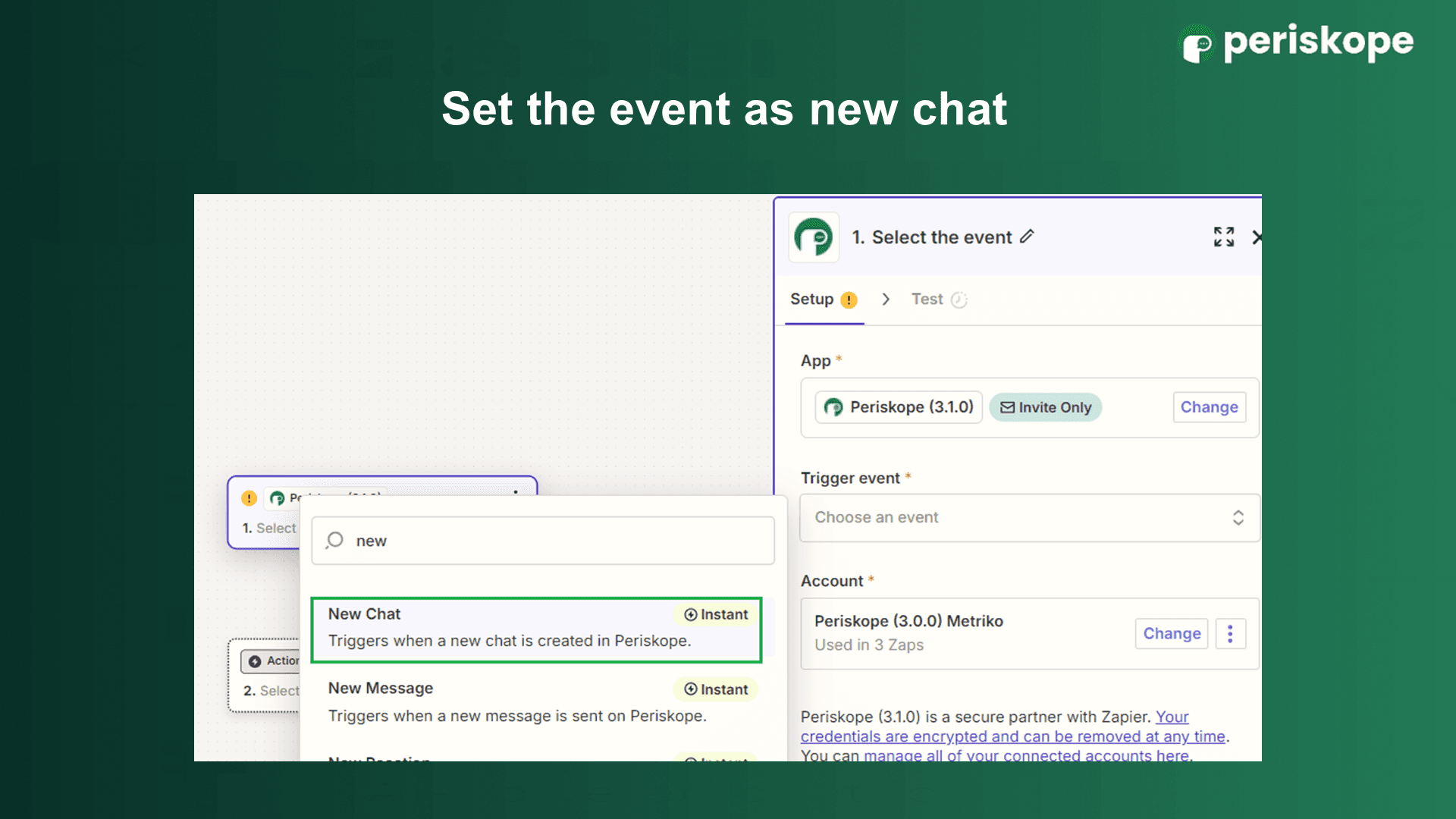
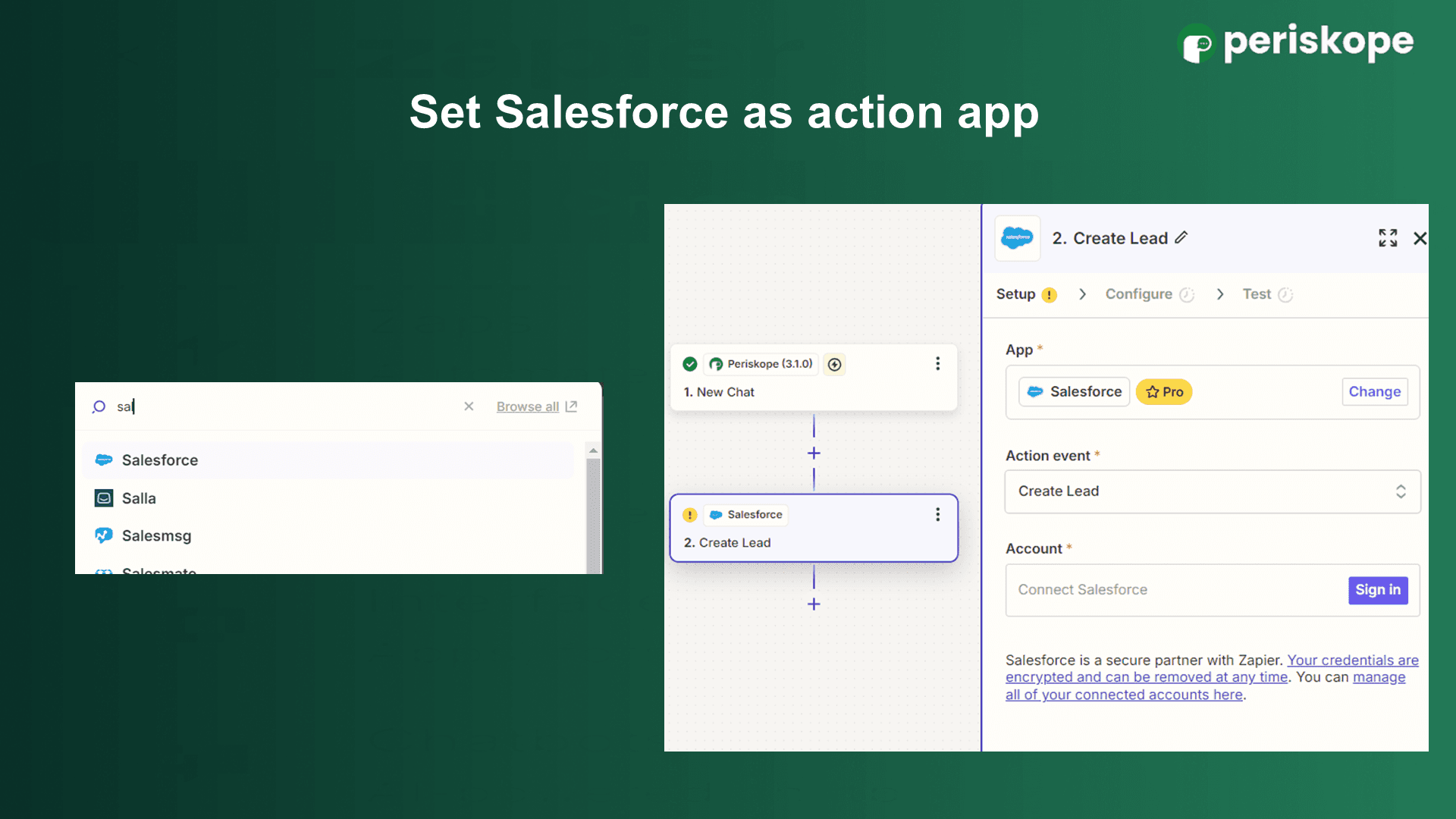
Create leads from new WhatsApp chats: use the Periskope New Chat trigger with the Salesforce Create Lead action, or Create Record for contacts, opportunities or cases.
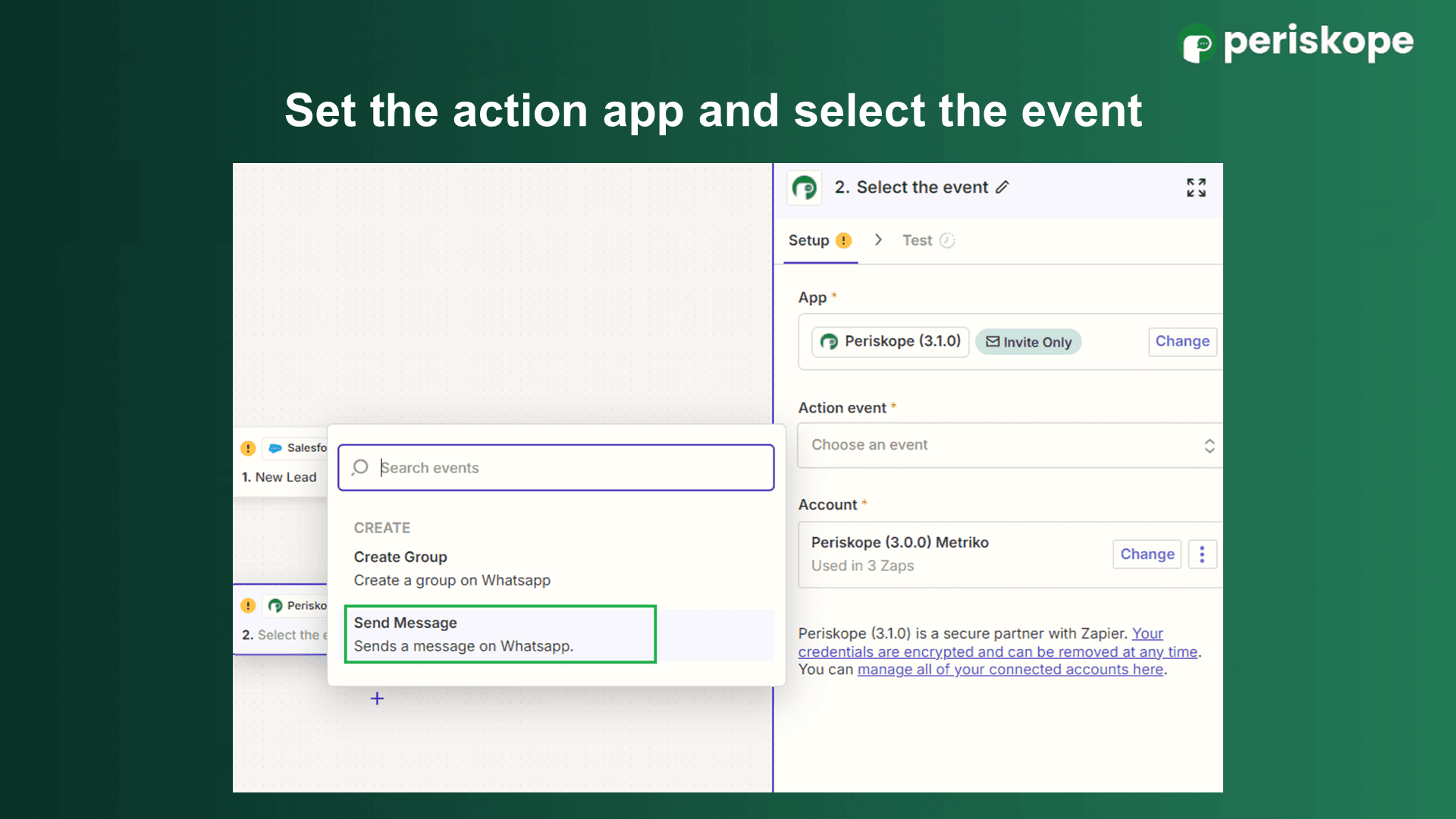
Message new leads on WhatsApp: use the Salesforce New Lead trigger with the Periskope Send Message action, mapping the lead’s phone number to the chat ID.
Notify leads when a stage changes: use the Salesforce Updated Field on Record trigger on your stage field to send a WhatsApp message when a lead or opportunity moves.
Create cases from WhatsApp tickets: use the Periskope New Ticket trigger with Salesforce Create Record set to the Case object, and map message content to case fields.
Invite leads to a WhatsApp group: use the Periskope Create Group action instead of Send Message.
How to set it up
Log in to Periskope and generate an API key at https://console.periskope.app/settings/integrations/zapier. The key is shown only once, so store it safely.
Request access to the Periskope app in Zapier using the invite link in the Zapier setup guide, log in to Zapier and accept the invite.
In Zapier, click Create > Zaps and choose your trigger: Periskope (for example New Chat or New Ticket) or Salesforce (for example New Lead or Updated Field on Record).
Connect Periskope by pasting your API key, and sign in to Salesforce when prompted.
Choose the action app and event, for example Salesforce Create Lead or Create Record, or Periskope Send Message. For Send Message, set the chat ID to the phone number followed by @c.us and the phone to your WhatsApp number with country code.
Map the fields, test the Zap and publish it.
Use cases
A real estate team turns every new WhatsApp enquiry into a Salesforce lead with the name and phone number already filled in.
When a new lead is added in Salesforce, a Zap sends them a personal WhatsApp message from the assigned sales number.
A customer raises a problem in a WhatsApp group, the agent creates a ticket in Periskope, and a Zap opens a matching Salesforce case for the support team.
Requirements
A Salesforce account
A Zapier account, with a plan that includes the Salesforce app
A Periskope account with at least one WhatsApp number connected
A Periskope API key and access to the Periskope Zapier app
Limitations and notes
There is no native Salesforce integration. All flows run through Zapier.
The Periskope Zapier app is in private mode. Request access with the invite link before you build a Zap.
Each flow is a separate Zap that you configure and maintain in Zapier.
The Periskope API key can be revealed only once. Store it safely.
Frequently asked questions
Does Periskope have a native Salesforce app?
No. Periskope connects to Salesforce through Zapier, using Periskope triggers and actions alongside Salesforce’s Zapier app.
Can I create Salesforce records other than leads?
Yes. Use the Salesforce Create Record action to create contacts, opportunities or cases from WhatsApp chats or Periskope tickets.
How do I send a WhatsApp message to a Salesforce lead?
Use the Salesforce New Lead trigger and the Periskope Send Message action. Set the chat ID to the lead’s mobile number followed by @c.us, and the phone to your WhatsApp number with country code.
Can WhatsApp group conversations create Salesforce cases?
Yes. Create a ticket in Periskope from a group or 1:1 message, and a Zap using the New Ticket trigger can create a Salesforce case from it.
Do I need the WhatsApp Business API?
No. Periskope connects regular WhatsApp and WhatsApp Business App numbers by scanning a QR code, the same way you link WhatsApp Web. There are no template approvals or per-message fees.
Full setup guide: https://periskope.app/blog/salesforce-whatsapp-integration
Automate your WhatsApp with Periskope

Features
Integrations


