
Anjali Pandey
Looking for a Wati alternative for WhatsApp groups? Or trying to manage WhatsApp groups without the limitations of the Groups API?
Wati now supports WhatsApp Groups through Meta's Groups API.
→ But the setup comes with requirements and limits: you need an Official Business Account, groups are invite-only, and each group can have up to 7 external participants.
Wati Groups are also available only on its Business plan and don't support Coexistence numbers.
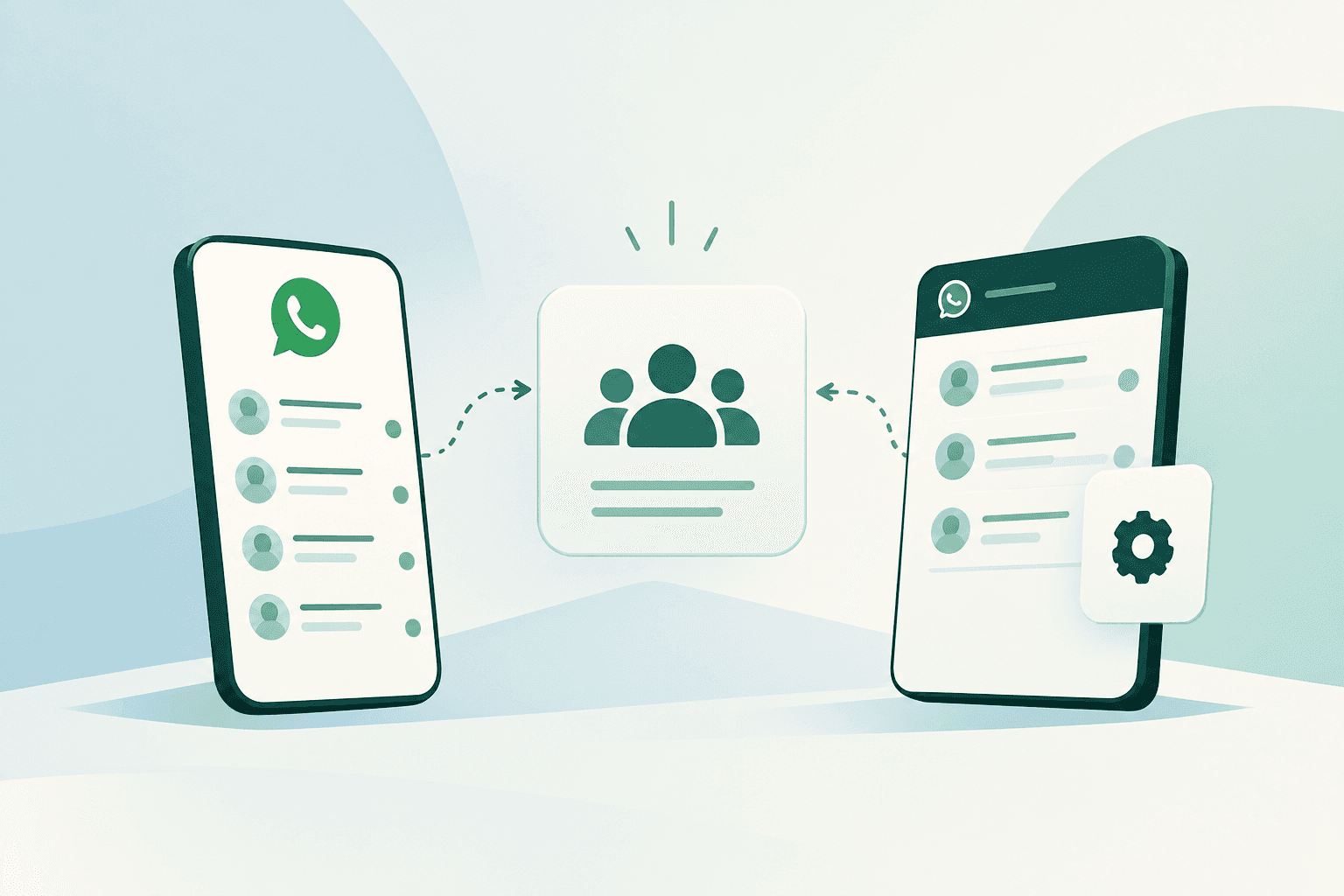
Periskope takes a different approach. It doesn't use the WhatsApp Groups API. Instead, it connects to a regular WhatsApp or WhatsApp Business app number through the linked device feature, similar to WhatsApp Web, and manages the groups that number already has.
Here’s a quick comparison before we dive into the details:
Wati vs Periskope: At a Glance
How Wati Handles WhatsApp Groups
Wati's Groups feature sits inside its Team Inbox, and it runs on Meta's Groups API underneath. So every rule we've already covered in our Groups API eligibility and limits guide applies here too.
1. Eligibility Requirements
To use Wati Groups, businesses need to meet its account and plan requirements.
Official Business Account (OBA): Your WhatsApp business account needs OBA status.
Compatible number setup: Groups API requires a Cloud API number. Wati’s documentation excludes numbers using WhatsApp Coexistence.
Wati plan: Groups are available on Wati’s Business plan.
2. Group Creation and Participant Limits
Wati supports group creation through its platform, with limits on the number of groups and participants.
Groups per number: It has a limit of 1,000 groups per WhatsApp number.
Participants: Each group can have up to 7 external participants.
Operators: Wati operators can be added to manage group conversations and do not count toward the external participant limit.
These limits matter if you plan to use groups for customer support, sales coordination, or other workflows involving many people.
3. Inviting Participants and Managing Group Access
Wati uses an invite-and-join process to add people to groups. When you create a group or invite a contact, you can share the invitation link. The person must join the group rather than being added directly through the API.
You can also add Wati operators to groups so they can take part in the conversation. Wati’s access settings determine which groups operators can see.
4. Supported Features and Limitations
Wati supports group messaging, templates, attachments, and operator access. It also provides tools for group creation and participant management.
However, there are limits to what the Groups API supports:
Campaign broadcasts are not supported for groups.
Authentication templates and group calls are not supported.
Sent messages cannot be edited or deleted through the API.
Messages cannot be marked as read through the API.
The participant list cannot be hidden.
Coexistence numbers cannot use the Groups API.
If you’re considering Wati specifically for group workflows, check these restrictions against what your team needs to do inside WhatsApp.
Try Periskope
Manage WhatsApp Groups, Chats and Numbers at Scale
How Periskope Handles WhatsApp Groups
Periskope skips Meta's Groups API entirely.
It connects to a business's regular WhatsApp number or WhatsApp Business app number through Linked Devices, using the same QR-code connection method as WhatsApp Web.
There’s no Cloud API layer to build against. Periskope lets businesses manage their WhatsApp without the API while keeping their existing number and groups.
1. Eligibility Requirements
Periskope doesn't gate group management behind Meta's approval process.
No OBA needed: Works on any WhatsApp number, verified or not
Plan tier: Group management is part of the core product, not a separate unlock on a higher plan.
There's no eligibility checklist to clear before a business can start. If a number can run WhatsApp, it can run through Periskope.
2. Group Size and Participant Limits
Participant cap: Groups can hold up to 1,024 members, the same limit WhatsApp sets for any regular group.
Groups per number: There's no separate ceiling on how many groups a number can be part of.
Existing groups: A business can manage the groups it already runs; they sync on connection.
3. Adding and Managing Participants
Participants are added the same way they are in the WhatsApp app.
Direct add: Along with the invite link, an admin can add a contact straight to the group, without waiting for a response.
Removing participants: Works the same as native WhatsApp admin controls.
Team access: Instead of a separate operator role per group, admins control access through workspace permissions. Members can be limited to specific numbers or to chats with certain labels.
4. Supported Features and Limitations
Message behavior mirrors what the WhatsApp app already supports:
Text, media, polls, quick replies and saved templates
Tickets, automation rules, and an AI agent trained on a business's FAQs run directly on group conversations
Cloud API-specific features tied to Meta's own Groups API endpoints aren't available
Wati vs Periskope: Which One Handles WhatsApp Groups Better?
1. Group Creation and Existing Group Support
Wati only creates groups from scratch through its Groups API. There's no import path, so a business with active groups already running has to start over if it moves to Wati for group management.
Periskope works with the groups a business already runs. Once the number is linked, all its chats and groups sync to the dashboard, and the team can start managing them right away.
For a closer look at how teams run dozens of active groups day to day, see this WhatsApp group management guide.
2. Group Size and Participant Management
➤ Wati: Capped at 7 external contacts per group, a limit inherited from Meta's Groups API. Internal operators are unlimited, so a support team can staff a group heavily even while the customer side stays small.
➤ Periskope: Follows WhatsApp's native 1,024-member cap, since it runs through the same infrastructure as the WhatsApp app itself.
The gap between 7 and 1,024 rules out entire categories of use cases for Wati before a business even gets to feature comparison: community groups, large customer cohorts, and dealer networks all need Periskope's model, not Wati's.
3. Shared Inbox and Multi-Agent Access
Both platforms solve the same underlying problem, letting more than one team member work from a group without everyone needing to be a phone-holding member of it.
➤ Wati: Calls this operator access. Operators sit outside the 7-contact cap and can be added to any group. An operator only sees the groups they've been added to, while admins can see every group conversation.
➤ Periskope: Handles this through workspace permissions. Admins see every chat and group across all connected numbers. Members can be limited to specific numbers or to chats with certain labels.
Functionally similar goals, different mechanics: Wati's is per-group; Periskope's is workspace-wide.
4. Tickets, Tasks, and Follow-Ups
➤ Wati: There’s no built-in ticketing system for group conversations. Following up on a customer query means tracking it manually or routing it to a separate helpdesk tool.
➤ Periskope: Any message in any group or 1:1 chat can be turned into a ticket instantly, flagged manually or automatically by AI, then assigned, tracked for response time, and monitored for SLA breaches.
This is one of the clearer gaps between the two. A support team running structured follow-up inside groups has a real feature to lean on with Periskope that doesn't exist in Wati groups at all.
Also Read: A B2B payments company in Indonesia brought response times under 15 minutes across 800+ daily group queries after switching to ticketed group management, raising NPS by 8 points in three months. |
|---|
5. Automation, AI, and Integrations
➤ Wati:
Wati has a no-code chatbot builder for 1:1 chats, but chatbots and automation rules aren't part of Wati Groups
Group replies are sent by operators, using free-form messages, templates and quick responses
Group conversations stay inside Wati's Team Inbox. Its CRM and helpdesk integrations don't extend to groups.
➤ Periskope:
Automation runs on workflows: a business defines a trigger, a condition, and an action, so a specific message pattern in a group can fire off multiple steps at once
An AI agent can be trained directly on a business's FAQs, SOPs, and documentation to answer repetitive questions and raise tickets without a human in the loop first
Integrations lean toward the CRM and support stack: HubSpot, Zoho CRM, Freshdesk, Zoho Desk, Google Sheets
On Wati, every group reply, follow-up and escalation is done by hand. Periskope automates all three inside the groups your team already manages.
6. Analytics and Visibility
➤ Wati: Reports on messaging volume and campaign performance, useful for tracking outbound send effectiveness.
➤ Periskope: Reports on team-level operational metrics tied specifically to groups and chats, response times, open ticket counts, unanswered queries, and agent-level performance.
In short: Wati's analytics answer "how did the campaign do?" Periskope's answer "is the team keeping up?"
7. Pricing and Message Costs
Pricing is another major difference between Wati and Periskope, especially for businesses that handle a high volume of WhatsApp messages.
➤ Wati
Wati has multiple pricing options. Its recurring plans start at $49/month, with Growth, Pro, and Business plans available. WhatsApp Groups are available on the Business plan.
The subscription is only one component of the cost. Wati separately charges for WhatsApp messages based on factors such as message type and the recipient's country. Optional add-ons can add to the total as well.
For a business sending large volumes of messages, especially across groups, the actual monthly cost therefore depends on both the Wati plan and WhatsApp message usage.
➤ Periskope
Periskope uses subscription pricing instead of per-message billing. The pricing starts at $25/license/month.
There is no separate charge every time a WhatsApp message is sent.
The practical difference: With Wati, your total cost has a fixed platform component plus usage-based messaging charges. With Periskope, the platform cost is subscription-based, without a per-message fee.
Before You DecideIf you're specifically looking for a Wati alternative for WhatsApp group management, start with the workflow rather than the feature list. Ask yourself: → Do you already have active WhatsApp groups you need to keep? → Do your groups need more than 7 external participants? → Do you have OBA status? → Are you comfortable with invite-only groups? → Do you need ticketing, SLA tracking, automation, or AI inside group conversations? → Do you want to keep using your regular WhatsApp or WhatsApp Business app number? → Does per-message billing make sense for your message volume? If your requirements fit Wati's Groups setup, Wati can provide a structured way to create and manage smaller WhatsApp groups. If you're looking for a Groups API alternative, already have groups running, need larger groups, or want predictable subscription pricing without per-message costs, Periskope is the way to go. |
|---|
Switching from Wati to Periskope
If you already use WhatsApp groups for customer or operational groups, getting started with Periskope is straightforward:
Sign in and create your Periskope account.
Connect your WhatsApp number by scanning the QR code, just like linking WhatsApp Web.
Bring your team into the workspace and give them access to the chats and groups they need.
Start managing your groups from Periskope, with tickets, automation, analytics, and team workflows available in the same workspace.
You don't need to recreate your existing WhatsApp groups or move your number to the WhatsApp Groups API. (Groups created through Wati's Groups API stay on Wati).
> Get started in minutes and start managing your WhatsApp groups.
FAQs
1. Can Wati manage existing WhatsApp groups?
No. Wati's Groups API only creates new groups. There's no way to bring an existing WhatsApp group, or its member list, under Wati's management.
2. What are Wati's WhatsApp Groups API eligibility requirements?
A business needs Official Business Account (OBA) status, a Wati Business plan, and a WhatsApp number that isn't running in Coexistence mode.
3. How many participants can join a Wati group?
Up to 7 external contacts per group. Internal team members, called operators, don't count against that limit and can be added without restriction.
4. Does Periskope use the official WhatsApp Groups API?
No. Periskope connects through a linked device, the same method WhatsApp Web uses, rather than through Meta's Cloud API.
5. Can Periskope connect a Cloud API number?
No. Periskope works with regular WhatsApp numbers and WhatsApp Business app numbers, not Cloud API numbers.
6. Can I manage existing WhatsApp groups with Periskope?
Yes. Once you link your number, Periskope syncs all the chats and groups that number is part of. You don't need to recreate anything.
7. How do Wati and Periskope pricing models differ?
Wati charges a plan fee plus Meta's per-message billing for group messaging. Periskope charges a flat per-seat fee, starting at $25 per user, with no per-message cost.
8. Can I switch from Wati to Periskope and keep my existing groups?
Groups created through Wati's Groups API live inside Meta's system, so they can't be exported or migrated the way an existing regular WhatsApp group can.
A business switching from Wati to Periskope for group management would connect its existing WhatsApp number directly, bringing over whatever groups already exist on that number outside of Wati's API-created ones.



