
How to Automate WhatsApp Messages: A Guide for Teams Evaluating Solutions
Learn how to automate whatsapp messages for your business with API vs no-API options, setup tips, and practical workflows for sales and service.
Jan 30, 2026
This guide is for sales, support, and operations teams who are evaluating how to automate WhatsApp messages to fix slow response times or inconsistent communication. It directly compares the two main solution paths—the official WhatsApp Business API and no-API platforms—so you can decide which is right for your team's size, budget, and technical resources.
We will cover the practical steps for setting up automation, from basic auto-replies to advanced CRM integrations, and provide a clear framework for choosing the right tool.
The two primary methods for WhatsApp automation are:
Official WhatsApp Business API: The enterprise-grade solution for high-volume messaging. It's powerful and scalable but requires developer resources, a new phone number, and has a usage-based cost model.
No-API Platforms: All-in-one tools designed for simplicity and speed. They connect to your existing WhatsApp numbers, providing a shared inbox and no-code automation, making them ideal for SMBs and teams without developers.
By the end of this guide, you will understand the pros and cons of each approach and know how to connect WhatsApp to tools like HubSpot or Google Sheets.
Choosing Your WhatsApp Automation Platform
The first decision is choosing the right type of tool. This comes down to the official WhatsApp Business API vs. a no-API platform. The best choice depends entirely on your team's scale, budget, and technical capabilities.
The Two Main Paths to Automation
The WhatsApp Business API is Meta's official, enterprise-grade solution. It is built for massive scale but involves a complex setup through a Business Solution Provider (BSP) and has usage-based pricing. It is best suited for large organizations with dedicated developer resources.
No-API platforms like Periskope are built for speed and ease of use. They connect directly to your existing WhatsApp numbers, offering a shared inbox and powerful automation features with no coding required. For a technical deep-dive on the differences, see this comparison of the API vs. webhook approach or this overview of what a no-code automation platform offers.
This decision tree helps clarify which path fits your current pain points.
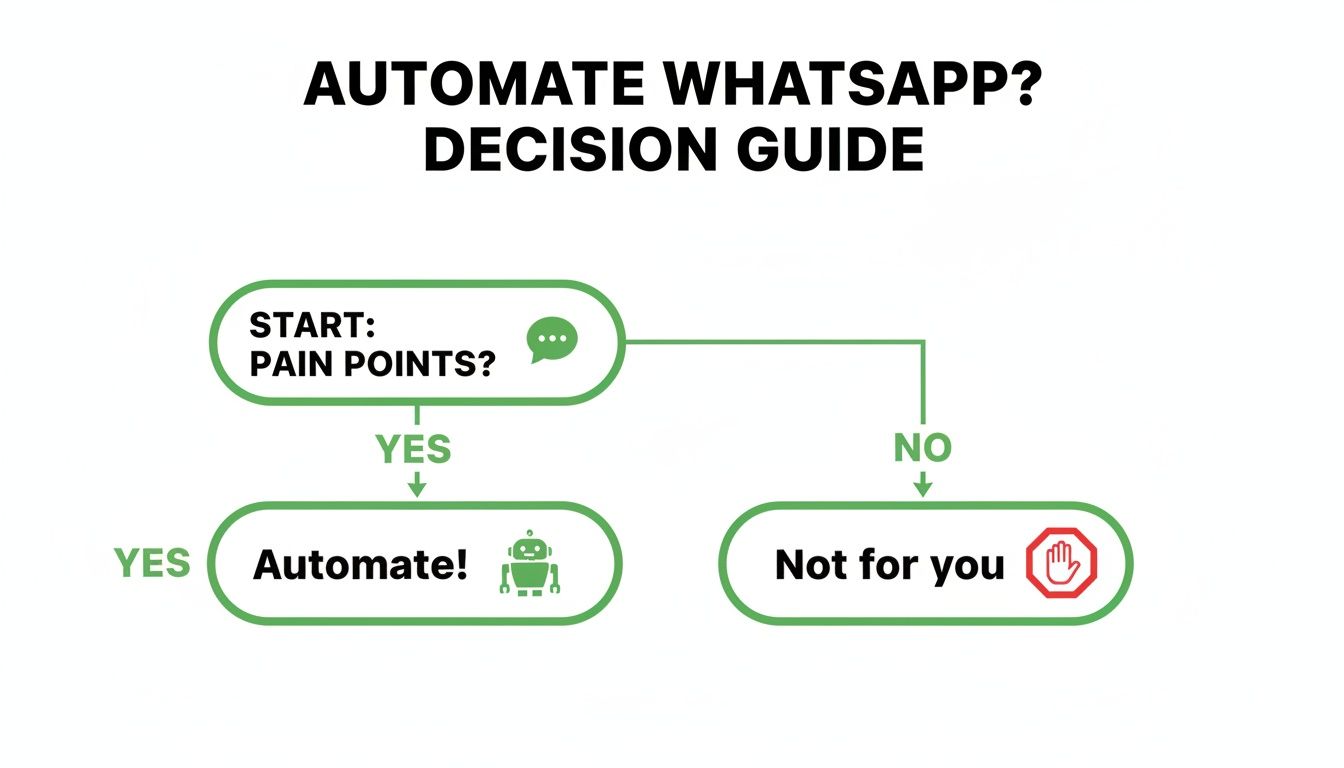
If communication bottlenecks are a problem, automation is the solution. The key is choosing the right implementation method.
WhatsApp API vs. No-API Platforms: A Quick Comparison
This side-by-side comparison provides a clear overview to help you select the best fit for your team's needs.
Feature | WhatsApp Business API | No-API Platforms (e.g., Periskope) |
|---|---|---|
Who It’s For | Large enterprises with high volume, technical teams, and bigger budgets. | SMBs and teams needing a fast, simple, all-in-one solution without developers. |
Setup Time | Days to weeks. Requires BSP approval and technical setup. | Minutes. Connects to existing WhatsApp numbers instantly. |
Technical Skill | Requires developers for setup, integration, and maintenance. | No-code. Designed for non-technical business users. |
Cost Model | Usage-based (per conversation) plus BSP platform fees. Can be expensive. | Flat subscription fee. Predictable and more affordable. |
Number Requirement | Requires a new, dedicated phone number. Cannot use an existing one. | Use your existing personal or business WhatsApp numbers. |
Pros | Official green tick verification, built for massive scale. | Shared inbox, easy workflow automation, use existing numbers, fast setup. |
Cons | Complex setup, high cost, requires a new number, less flexible. | Not designed for enterprise-level scale (millions of messages). |
When to use the API: You are a large enterprise with a development team and need to send millions of messages. When to use a No-API Platform: You are an SMB or a team that needs a shared inbox and automation for your existing numbers, fast.
Setting Up Your First WhatsApp Automations
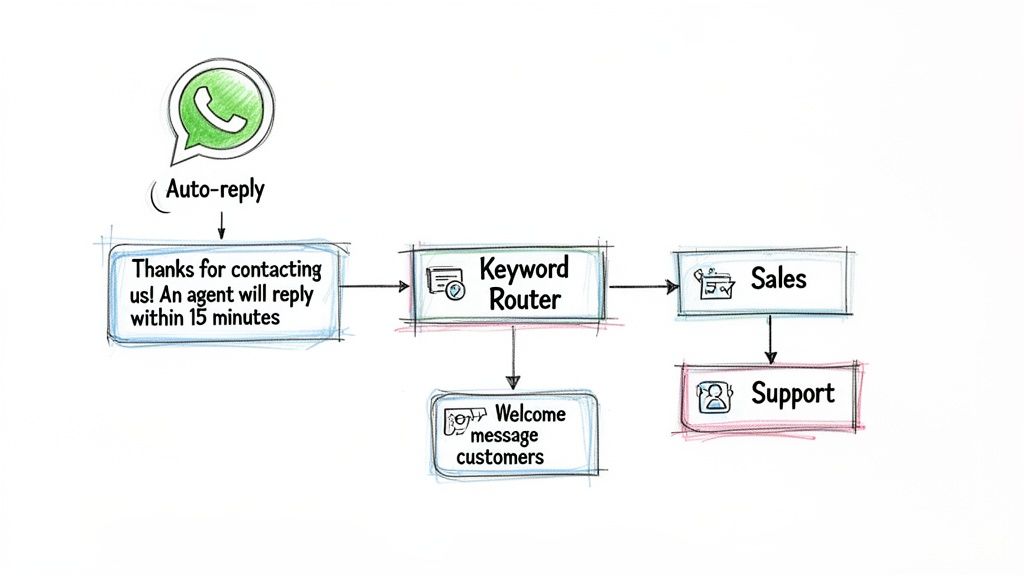
Once you've selected a platform, the next step is implementation. Start with high-impact, foundational workflows that address your most repetitive tasks. This provides immediate value by freeing up your team and improving customer experience.
Foundational Automation Examples
These are practical, effective automations to set up first.
Instant Auto-Replies: An immediate, automated response for every new inquiry is essential. A message like, "Thanks for contacting us! An agent will reply within 15 minutes," acknowledges the customer and sets expectations.
Keyword-Based Routing: Automatically assign conversations based on keywords. If a message contains "pricing," route it to the sales queue. If it includes "support," send it to the service team. This directs messages to the right person faster.
Automated Welcome Messages: Create a unique welcome message for new customers that triggers after their first purchase. Provide key information, link to tutorials, or outline next steps.
Building Advanced Automation Workflows
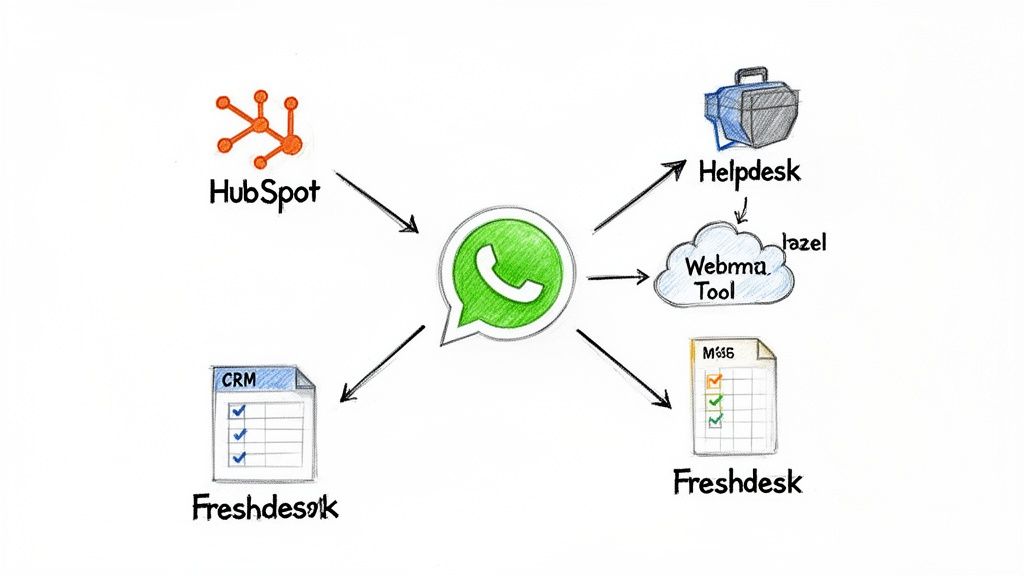
Beyond basic auto-replies, the real value of automation comes from integrating WhatsApp with your core business systems. This creates workflows that handle multi-step processes automatically.
Link WhatsApp to Your CRM
Connect WhatsApp to your CRM (HubSpot, Zoho, etc.). When a new lead sends a message, a workflow can automatically create a new contact and open a deal in your sales pipeline. This eliminates manual data entry and prevents leads from being missed.
Connect with Your Helpdesk
Integrate WhatsApp with a helpdesk platform like Freshdesk. An incoming support request automatically generates a trackable ticket, which is then assigned and prioritized. This streamlines customer service and reduces resolution times.
Power Up Your Operations
An integration with Google Sheets can automatically log all inquiries, feedback, or leads into a spreadsheet. This provides a simple way to track conversations without complex software. For more advanced outreach, a modern guide to lead scraping automation can help keep your pipeline full. For custom systems, webhooks enable limitless integration possibilities.
Taking Automation Beyond 1-on-1 Chats
Automating broadcasts and group management is a significant operational advantage for teams using WhatsApp for marketing or community engagement.
You can schedule broadcast messages for product announcements or sales, ensuring they are sent at the optimal time. This also allows for audience segmentation, enabling targeted messages to specific user groups for better engagement. For a refresher, see this guide on how to create a broadcast group on WhatsApp.
For community management, you can automate welcome messages for new members or post recurring announcements. With daily WhatsApp message volume projected to hit 140-150 billion by 2026, manual management is not scalable. As these insights on WhatsApp's growth show, automation tools are necessary to handle this volume effectively.
Platforms like Periskope provide the tools to manage this scale.
Role-Based Permissions: Control which team members can send broadcasts or manage groups to maintain brand consistency.
Keyword Triggers: Set up automated replies to common questions within groups to reduce repetitive work.
Compliance Controls: Manage user consent for promotional messages to ensure your number does not get blocked.
Measuring Performance and Staying Compliant
Implementation is the first step. To optimize, you must measure performance and ensure compliance with WhatsApp's policies. Built-in analytics are critical for tracking key performance indicators (KPIs).
What to Measure
Focus on metrics that reflect team efficiency and customer experience.
First Response Time (FRT): Automation should make this nearly instant. A low FRT shows customers you are responsive.
Average Resolution Time: Track how long it takes to solve a customer's issue from the first contact to resolution. This measures overall process efficiency.
CSAT Scores: Use automated surveys after an interaction closes to gather direct feedback on customer satisfaction.
Staying on the Right Side of WhatsApp
Compliance with WhatsApp's Business Policy is mandatory to keep your account active.
Always get explicit opt-in consent from users before sending promotional messages. You must also provide a clear and easy way for them to opt out.
Pro-Tip: To avoid getting banned, it is crucial to understand the rules. Read this guide on how to send automated WhatsApp messages without getting banned.
Look for platforms with features like number masking to protect customer data and align with privacy standards like GDPR.
Frequently Asked Questions
Here are direct answers to common questions about WhatsApp automation.
Can I Automate Messages on My Personal WhatsApp Number?
Yes, but only with a no-API platform.
The official WhatsApp Business API requires a new phone number that has never been used on WhatsApp. You cannot use an existing personal or business number.
A no-API platform like Periskope is designed for this. It adds a software layer to your existing WhatsApp account, enabling a shared inbox and automation without changing your number. This is ideal for teams where individuals use their own numbers.
What's the Difference Between a WhatsApp Chatbot and an Auto-Reply?
An auto-reply is a simple, one-way message triggered by an event (e.g., a message received after hours). Its only function is to acknowledge receipt.
A WhatsApp chatbot is designed for two-way, interactive conversations. It uses AI and Natural Language Processing (NLP) to understand user intent, answer questions, qualify leads, or provide support.
How Much Does It Cost to Automate WhatsApp?
Costs vary significantly based on the solution.
WhatsApp Business API: Involves multiple costs: a monthly fee from a Business Solution Provider (BSP) plus per-conversation fees paid to Meta. This can total hundreds or thousands of dollars per month and is priced for enterprise use.
No-API Platforms: Typically use a simple subscription model with a predictable monthly or annual fee based on users or connected numbers. This is the more budget-friendly option for SMBs.
What Are the Biggest Risks of WhatsApp Automation?
The two main risks are violating WhatsApp's policies and creating a poor user experience.
First, you must comply with the WhatsApp Business Policy. Sending unsolicited messages will get your number blocked.
Second, poorly designed automation frustrates users. A chatbot that doesn't understand queries or a workflow with no option to reach a human will damage your brand.
The rule for good automation is to always provide a clear and simple way for users to connect with a person. Without an escape hatch, you risk alienating customers.
The fastest way to implement WhatsApp automation is with a no-API platform that connects to your existing numbers. Periskope provides a shared inbox, powerful automations, and deep integrations to streamline your sales and support. Get started in 5 minutes.
Automate your WhatsApp with Periskope

Features
Integrations


