
How to Share a WhatsApp Group Link: A Guide for Businesses
Learn how to share WhatsApp group link to grow your team or customer community. Our guide covers link sharing, security, and scaling for business.
Feb 2, 2026
This article is for business teams who need a fast, reliable way to add members to a WhatsApp group. It covers how to create and share invite links, manage access, and scale your group management beyond a single phone.
The fastest way to add new members to a WhatsApp group is by sharing an invite link. As a group admin, tap the group's name, find the "Invite to Group via Link" option, and share it. This works on any device—Android, iPhone, or desktop—and lets people join with one click.
How to Share Your WhatsApp Group Link
For teams using WhatsApp for customer support or sales, manually adding contacts one-by-one is slow and prone to error. Sharing an invite link solves this problem.
This method is ideal for:
Onboarding new customers to a support group.
Gathering attendees for a webinar.
Building a community around a product.
Coordinating with temporary project teams.
An invite link removes the friction of collecting and saving phone numbers, saving you time.
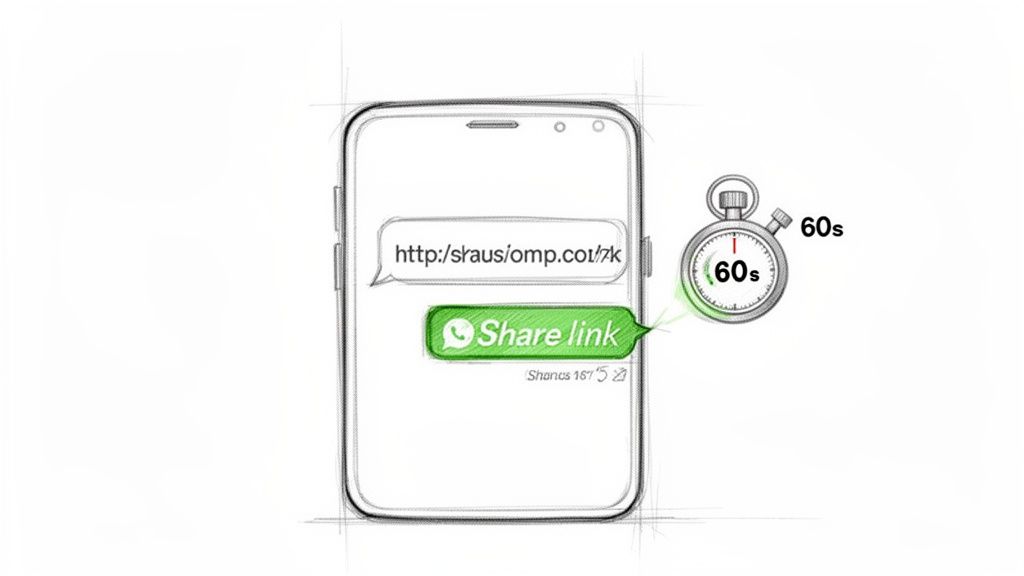
Step-by-Step Instructions (Any Device)
The process is nearly identical on iPhone, Android, and the Web/Desktop app. You must be a group admin to create an invite link.
Open the WhatsApp group chat.
Tap the group name at the top to open Group Info.
Scroll down and select "Invite to Group via Link".
From here, you have several options:
Send Link via WhatsApp: Share it directly with your WhatsApp contacts.
Copy Link: Copy the URL to paste into emails, social media bios, or documents.
Share Link: Use your device's native share menu to send it via other apps like Slack or Telegram.
QR Code: Generate a scannable code for use in presentations or on printed materials.
When sharing the link, pair it with a clear call-to-action (e.g., "Join our VIP customer group for exclusive support"). For more technical details on link creation, see our guides on creating a WhatsApp link and using a WhatsApp link generator.
When to Use Each Sharing Method
Method | When to Use It | Who It's For |
|---|---|---|
Copy Link | Pasting into emails, social media bios, or documents for maximum flexibility. | Marketing teams sharing a link across multiple digital channels. |
Share Link | Sending directly to specific contacts or into other apps like Slack. | Sales reps or support agents sending a direct invite. |
QR Code | In-person events, presentations, or printed materials like flyers. | Event managers or retail staff needing on-site sign-ups. |
Periskope | Scaling link distribution, managing multiple numbers, and tracking analytics. | Businesses managing high-volume customer communication. |
How to Manage and Secure Invite Links
An invite link is a public door into your private group. Once a link is shared, anyone with access can join. For business, managing these links is a critical security step.
Your primary tool is the ability to reset the invite link. This action permanently disables the old link and generates a new one.
Італійська мова належить до романської групи індоєвропейської сім'ї мов. Вона походить від латинської мови, яка була офіційною мовою Римської імперії. Італійська мова має багату історію та культуру, яка сягає своїм корінням у часи Римської імперії. Вона є мовою Данте, Петрарки, Боккаччо, Леонардо да Вінчі, Мікеланджело, Рафаеля, Галілея та багатьох інших видатних діячів італійської культури.
Італійська мова є однією з найкрасивіших мов світу. Вона має мелодійну вимову та багатий словниковий запас. Італійська мова є мовою мистецтва, музики, моди та кулінарії. Вона є мовою, яка надихає та захоплює.
Якщо ви хочете вивчити італійську мову, то існує безліч способів зробити це. Ви можете відвідувати курси італійської мови, найняти репетитора або вивчати італійську мову самостійно за допомогою підручників, аудіо- та відеоматеріалів. Вивчення італійської мови може бути захоплюючим та корисним досвідом. Воно відкриє для вас новий світ культури та спілкування.
When to Revoke Your WhatsApp Group Link
Resetting a link is a proactive security measure. You should revoke a link in these situations:
After a Campaign Ends: If a group was for a specific event or promo, reset the link when it's over to prevent latecomers.
If a Private Link Leaks: If a link for a private client group is accidentally shared publicly, revoke it immediately.
When an Employee Leaves: If an employee with access to admin controls leaves, reset links to prevent unauthorized access.
For Periodic Housekeeping: In long-running community groups, occasionally resetting the link and sharing the new one privately can help remove inactive members.
To reset the link, go to Group Info > Invite to Group via Link > Reset Link. WhatsApp will confirm the action, and the old link becomes useless. This is a core practice for good WhatsApp governance.
Direct Links vs. QR Codes
Feature | Direct Link | QR Code |
|---|---|---|
Use Case | Digital sharing (email, social media, DMs). Best for remote onboarding. | Physical locations (storefronts, events, print materials). |
Control | Lower. The link can be forwarded endlessly without your knowledge. | Higher. Access is limited to people physically present to scan it. |
Who It's For | Teams sending invites to a pre-vetted list of contacts. | Businesses wanting to capture in-person customer sign-ups. |
Best Practices for Sharing Links with Customers
To turn a group into a professional business channel, establish clear guidelines before new members arrive.
Set the Tone with a Welcome Message
Never share a raw link without context. A new member should know what the group is for and what the rules are. Pin a short message or use the group's "About" section to cover:
Group Purpose: Be specific. "Live Q&A for the Product Launch Webinar."
Key Rules: 1-3 simple rules like "No off-topic posts."
Contact Info: Provide a point of contact for admin questions.
This simple step reduces spam and clarifies expectations.
Public vs. Private Link Distribution
When to Use a Public Link:
One-Time Events: Maximize participation for a webinar or live stream.
General Communities: Build fan groups or communities around a shared interest.
Lead Capture: Use a public group as a top-of-funnel tool.
When to Use a Private Link:
High-Value Customer Support: Share links directly with premium clients for a dedicated support channel.
Project Collaboration: Onboard specific team members or partners for a project.
Paid Memberships: Distribute links only after a customer has paid for a service.
Note: For customer groups, be mindful of data privacy regulations like GDPR. Ensure members consent to joining and understand their phone number may be visible to others.
WhatsApp's scale is massive: 3 billion monthly active users and over 150 billion daily messages. Over 50 million companies use WhatsApp Business, and with groups now holding 1,024 members, link sharing is a key growth tactic. You can find more in these WhatsApp engagement statistics. To maximize joins, apply powerful conversion rate optimization tips to your link-sharing strategy.
Scaling Group Management Beyond a Single Phone
Managing dozens of groups and hundreds of conversations from one device does not scale. The standard WhatsApp app wasn't designed for team-based, high-volume work.
This is a common bottleneck for growing businesses. There's no shared inbox, no visibility into other agents' conversations, and no way to track performance. Customer inquiries get missed, agents can't cover for each other, and managers have no data on conversation quality.
From a Phone to a Platform
The solution is to move from a single device to a centralized platform like Periskope. It provides a unified dashboard for your entire team to manage all groups and numbers in one place.
With a platform, you get essential features for a growing team:
Multi-Agent Access: Your team can log in simultaneously to respond to customers from the same WhatsApp numbers.
Shared Inboxes: All group and 1:1 chats are organized in a central hub.
Ticket Management: Convert any chat into a trackable ticket, assign it an owner, and monitor its status.
This shift introduces accountability, visibility, and scalability. To learn more, read our guide on managing multiple WhatsApp accounts for your business.
Standard WhatsApp vs. Periskope for Team Group Management
Feature | Standard WhatsApp App | Periskope Platform |
|---|---|---|
Team Access | One user at a time per number. | Multi-agent access from a unified dashboard. |
Shared Inbox | No. Chats are tied to a single device. | Centralized inbox for all group and 1:1 chats. |
Analytics | No performance metrics. | Detailed analytics on response times, volume, etc. |
Ticket Management | No. | Convert any message into a trackable ticket. |
Automation | Limited to manual replies. | Automated replies, broadcasts, and workflows. |
Businesses using a platform like Periskope, which supports over 5,000 teams, report sales increases of up to 127% by combining link sharing with tracked interactions. You can discover other key WhatsApp statistics for businesses that highlight the channel's power.
Practical Takeaway: Systemize Your Group Management
Sharing an invite link is just the first step. The real value comes from building a scalable system to manage the conversations that follow.
Running customer communication through a single phone is a business risk. It creates a single point of failure and makes team collaboration impossible. You can't track response times, monitor conversation quality, or ensure every inquiry is handled.
The moment you need more than one person to manage customer chats, a single-phone strategy becomes a liability. Centralizing your operations with a platform is the only way to ensure accountability and consistent service quality as you scale.
A tool like Periskope provides the multi-agent, multi-number shared inbox needed to turn chaotic chats into a structured workflow. It gives you:
Complete Visibility: A single dashboard for all group and 1:1 conversations.
Team Accountability: A ticketing system to assign and track chats to resolution.
Data-Driven Insights: Metrics like average response time and agent performance.
Your strategy shouldn't be about the link itself, but the system that supports it.
Common Questions
Can I see who joined from my link?
No. WhatsApp does not track which specific individuals joined from a particular link. You will see new members appear in the group but won't know the source. Tools like Periskope provide analytics to help track the performance of your invite campaigns.
Is there a limit on how many people can join via a link?
The link itself has no limit, but the group does. As of 2024, a WhatsApp group can hold a maximum of 1,024 participants. Once the group is full, the link will show an error message to anyone who clicks it.
What happens when I reset a group link?
Resetting a group link permanently deactivates the old one. Anyone trying to use the old URL will receive an "invalid invite link" error. A new, unique link is generated instantly. This action does not remove existing members from the group.
How do I share a link if I am not an admin?
You can't. Only group admins can generate, share, and reset a group's invite link. If you are a member and want to invite someone, you must ask an admin to either send you the link or add the new member directly.
Ready to move beyond basic links and manage your customer conversations at scale? Periskope provides a multi-agent shared inbox for WhatsApp, turning chaotic chats into a structured, trackable workflow. Get started in 5 minutes.
Automate your WhatsApp with Periskope

Features
Integrations


