
A Practical Guide to WhatsApp Business Multiple Users
Struggling with WhatsApp Business multiple users? This guide compares the App, API, and third-party tools to help you choose the right solution for your team.
Jan 31, 2026
This guide is for business owners, support managers, and sales leaders who need to manage a single WhatsApp number with multiple team members. It provides a direct comparison of the three available methods to help you decide which one best fits your team's size, budget, and technical needs.
There are three ways to use WhatsApp Business with multiple users:
The free WhatsApp Business App: Best for solo operators or teams of 2-3.
The WhatsApp Business API: Built for large enterprises with developer resources.
Third-Party Platforms: The practical choice for most SMBs and growing teams needing a shared inbox without the complexity of the API.
Making the right choice upfront is critical for scaling your sales or support operations effectively.
Choosing Your Multi-User WhatsApp Solution
The method you choose will directly impact your team's daily workflow, scalability, and operational costs. A small business might find the free app sufficient, but a growing team will quickly encounter its limitations.
This decision tree helps visualize which solution makes sense based on your scale and technical requirements.
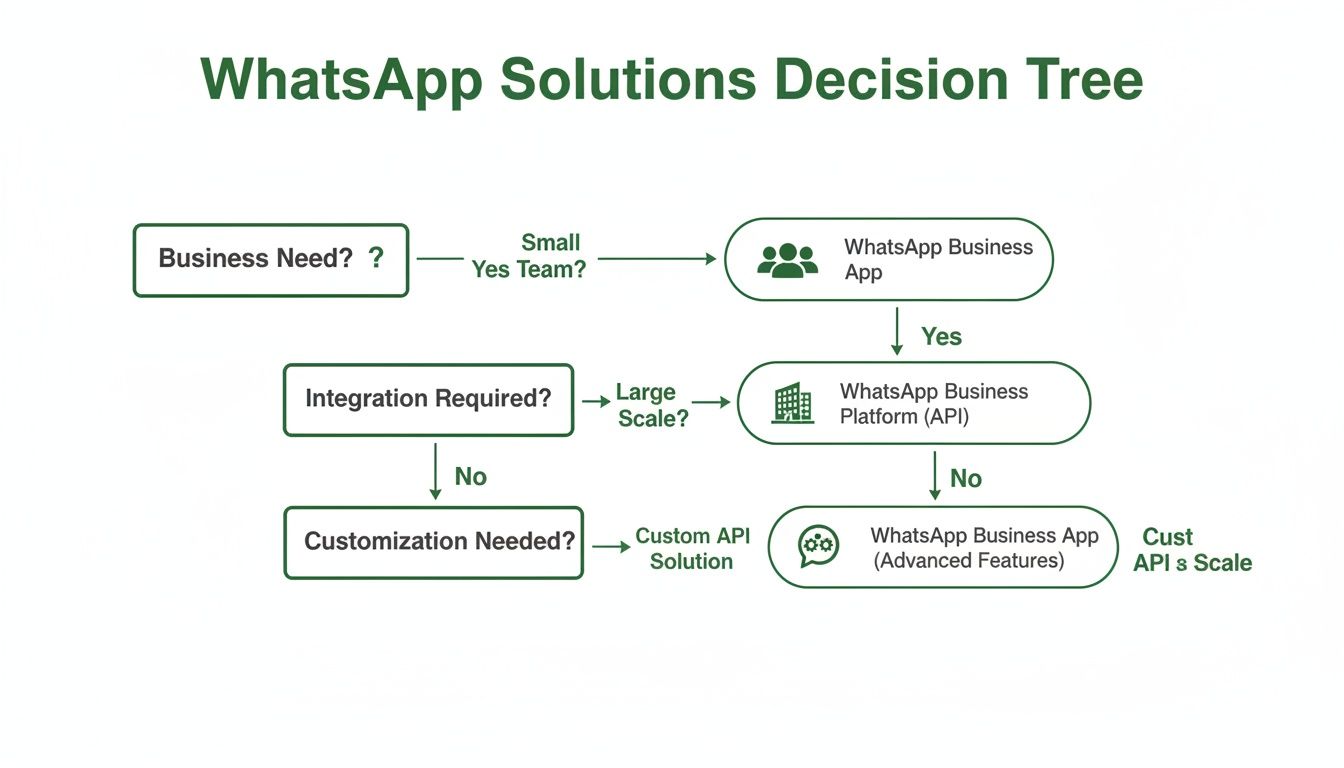
As your team and chat volume grow, you will naturally progress from the free app to a more robust, scalable platform. If you need to manage several numbers, you should also evaluate tools designed for multiple WhatsApp accounts.
Here is a direct comparison of your options.
Comparing WhatsApp Multi-User Options
Feature | WhatsApp Business App | WhatsApp Business API | Third-Party Platforms |
|---|---|---|---|
User Limit | 5 (1 phone + 4 linked devices) | Virtually unlimited | Varies by plan, easily scalable |
Best For | Solopreneurs, very small teams | Large enterprises, developers | SMBs, growing support/sales teams |
Cost | Free | Per-conversation pricing | Subscription-based (SaaS) |
Setup Complexity | Easy (scan a QR code) | Complex (requires developer help) | Simple (guided onboarding) |
Key Features | Basic chat, labels, quick replies | Automation, chatbots, CRM integration | Shared inbox, analytics, ticketing |
Scalability | Low | High | High |
The free app is a starting point. The API and third-party tools are built for growth. Choosing the right one depends on where your business is today and where it's headed.
Method 1: The WhatsApp Business App (for Small Teams)
The standard WhatsApp Business App offers a basic, free solution for very small teams using its multi-device feature.
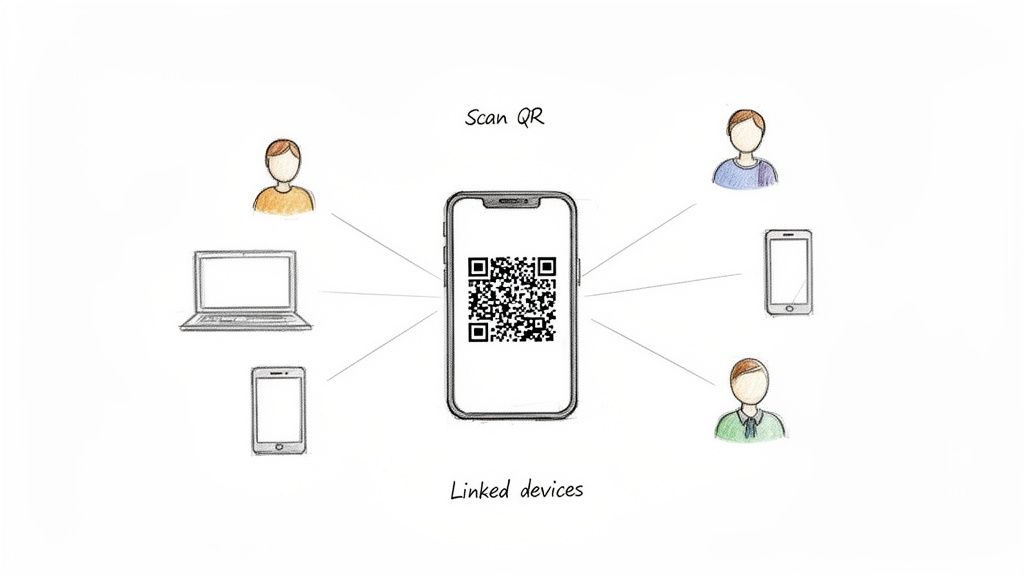
It allows you to link one primary smartphone to four additional devices (computers or other phones). Setup is simple: open WhatsApp on the primary phone, go to "Linked Devices," and scan the QR code on the secondary device.
How It Works & Key Limitations
Linked devices connect to WhatsApp independently, so they work even if the primary phone is offline. However, the main phone must connect to the internet at least once every 14 days to keep the devices linked.
This method is suitable for a business owner and one or two assistants who only need shared access to an inbox.
When to use it:
You are a solopreneur or have a team of 2-3 people.
You need a free, simple way to share one inbox.
You do not need agent tracking, assignments, or analytics.
When not to use it:
Your team has more than three people.
You need to know which agent sent which message.
You need to assign conversations to specific people.
You need performance data (e.g., response times, resolution rates).
You need to integrate WhatsApp with your CRM or helpdesk.
This setup is essentially a shared login, not a collaborative platform. It lacks the tools required for professional team management and will create accountability and workflow issues as you grow.
Method 2: The WhatsApp Business API (for Enterprises)
When you outgrow the 5-device limit of the free app, the official upgrade is the WhatsApp Business API.
The API is not a downloadable app. It is an interface that connects WhatsApp to professional business software, designed for large companies that need to support hundreds of agents and integrate WhatsApp into their core systems (like a CRM or ERP).
To access the API, you must work with a Business Solution Provider (BSP)—a company authorized by Meta to build software on top of the API.
API Model: Pros & Cons
The API uses a conversation-based pricing model. You pay for each 24-hour conversation window with a customer, categorized as either user-initiated or business-initiated. This can become expensive for high-volume support teams.
Setup is also complex, requiring business verification through Facebook Business Manager, which can take several weeks.
Pros:
High Scalability: Supports a virtually unlimited number of users.
Deep Integration: Connects directly with enterprise software like Salesforce, Zendesk, and custom databases.
Advanced Automation: Enables sophisticated chatbots and complex workflows.
Cons:
High Cost: Per-conversation pricing can be unpredictable and expensive.
Complex Setup: Requires developer resources and a lengthy approval process.
Message Restrictions: Business-initiated messages must use pre-approved templates, limiting flexibility for sales and marketing.
Who it’s for:
Large enterprises with dedicated developer teams.
Companies requiring deep integration with existing enterprise systems.
Businesses planning to deploy complex, custom chatbots.
The API is a powerful but resource-intensive solution. For a technical overview, see our guide on how the WhatsApp API and webhooks work together.
Method 3: Third-Party Tools (for Most SMBs)
For most growing businesses, the free app is too basic and the official API is too complex and costly. Third-party platforms offer a practical middle ground.
These tools provide a ready-made shared inbox for WhatsApp, giving you the scalability of the API with the user-friendliness of a SaaS application. Your team can log into a single dashboard to manage one or more WhatsApp numbers without a complex setup process.
The Unified Inbox Advantage
A shared inbox turns chaotic, multi-device messaging into an organized, trackable workflow. All customer conversations are centralized, giving managers complete visibility.
Key features typically include:
Chat Assignment: Route conversations to specific agents or teams, manually or with automation.
Internal Notes: Team members can collaborate privately within a customer chat thread without the customer seeing it.
CRM & Slack Integrations: Connect WhatsApp to tools like HubSpot or Salesforce to sync data and automate tasks.
These features transform WhatsApp into a core operational tool for sales and support.
Essential Management Features
These platforms are built for managers who need control and data to optimize team performance.
Core management capabilities include:
Role-Based Permissions: Control who can see and do what, such as restricting access to certain inboxes or preventing message deletion.
SLA Tracking: Set and monitor response time goals to ensure no customer is left waiting.
Detailed Analytics: Access dashboards showing agent performance, chat volume, peak hours, and resolution rates.
With over 100 billion messages sent on WhatsApp daily and a 98% open rate, managing this channel effectively is critical. Tools like Periskope provide the structure needed to handle this volume professionally. For more context, these WhatsApp Business statistics highlight the platform's importance.
Setting Up Your Shared Inbox Workflow
Choosing a tool is the first step. The next is to establish clear workflows. An organized process prevents chaos and ensures customers receive fast, consistent service.
Define how your team handles every conversation, from arrival to resolution.
Automate Chat Assignments
Manual chat selection is inefficient. Automated routing distributes the workload evenly and ensures fast responses.
Common routing strategies:
Round-Robin: Assigns each new chat to the next available agent in a sequence.
Skill-Based Routing: Routes chats based on keywords (e.g., "refund," "billing") to specialized teams.
Load-Based Assignment: Assigns new chats to the agent with the fewest active conversations to balance the workload.
Establish Clear Communication Rules
Consistency is crucial when multiple agents use one inbox. A shared playbook ensures a uniform customer experience.
Best practices to implement:
Use Saved Replies: Create a library of pre-written answers for frequently asked questions to save time and maintain brand voice.
Leverage Internal Notes: Encourage agents to collaborate within the chat thread by tagging managers or teammates, keeping all context in one place.
Apply Tags Consistently: Categorize every conversation with labels like "Sales Lead," "Tech Support," or "Complaint" to filter, track trends, and generate reports.
For fine-grained control, learn how to set up granular team access on WhatsApp.
Common Questions About Multi-User WhatsApp
Here are direct answers to common questions about setting up WhatsApp Business for multiple users.
Can I use one WhatsApp Business number on multiple phones?
Yes. The free WhatsApp Business app lets you link one primary phone to four additional devices (phones or computers). This is ideal for teams of up to five. For larger teams, you need either the WhatsApp Business API or a third-party shared inbox platform.
What is the difference between the API and a shared inbox tool?
The WhatsApp Business API is a raw programming interface for enterprises that requires developer resources to build upon. It offers deep integration but is complex and expensive.
A third-party shared inbox is a ready-to-use software application (SaaS) that provides a multi-agent dashboard for managing WhatsApp. It's designed for immediate team use without requiring developers.
The key difference is readiness: the API is a foundation, while a shared inbox is a finished tool.
How do I protect customer privacy with multiple agents?
Use a platform with robust security controls. Key features to look for include:
Role-based permissions: Limit what each user can see and do.
Number masking: Hide customers' phone numbers from agents.
Detailed audit logs: Track every action taken by each agent for accountability.
These features are essential for maintaining data privacy and complying with regulations like GDPR.
Can I automate replies with a multi-user setup?
Yes, automation is a primary benefit. Both the API and third-party platforms support it. You can set up auto-replies for after-hours messages, create automated routing rules to assign chats to the correct department, and deploy chatbots to handle common inquiries.
The takeaway is simple: as your business grows beyond a few people, you need a dedicated tool to manage WhatsApp Business for multiple users. The free app won't scale, and the API is often overkill. For most SMBs, a third-party shared inbox platform like Periskope provides the ideal balance of power, simplicity, and cost. Start managing WhatsApp at scale today.
Automate your WhatsApp with Periskope

Features
Integrations


