
A Business Guide to WhatsApp Export Chat
Learn how to use WhatsApp export chat for your business. This guide covers how to export, analyze data, and ensure compliance for sales and support teams.

This guide is for managers and operations teams who rely on WhatsApp for customer communication. It helps you decide when to use manual chat exports and when to move to an automated solution for better data management, analysis, and compliance.
Exporting your chats is the first step to turning valuable customer conversations, currently trapped on individual phones, into usable business data.
Why You Can't Afford to Ignore Chat Exports
Leaving customer conversations on devices is a major operational risk. Without a process to export and centralize chats, you have no visibility into performance, compliance, or sales opportunities.
A WhatsApp chat export lets you pull up to 100,000 of the most recent messages from any single chat. You can export them with or without media in a .zip file. For official details, see WhatsApp's export limits on their FAQ page.
Key Reasons to Make Chat Exports a Priority
The primary benefit is visibility. Moving conversations from phones to a central system allows for active management of customer relationships.
Practical benefits include:
Performance Tracking: Get hard data on agent response times, issue resolution speed, and overall support effectiveness.
Compliance and Record-Keeping: Create a clean, time-stamped audit trail of every customer interaction for legal or regulatory needs.
Sales Enablement: Allow sales managers to review conversation histories for coaching opportunities and to understand customer needs.
Centralized Data: Move conversations off scattered devices and into a CRM or a tool like Periskope for analysis.
Exporting chats turns temporary conversations into permanent, analyzable business records. This is a fundamental shift from guessing what’s happening to knowing.
When to Export With or Without Media
The choice to include media files (images, videos, documents) in your export depends entirely on your goal.
When to use a text-only export: When you need a lightweight, fast export for quick analysis, keyword tracking, or reviewing conversation flow.
When to use an export with media: When context is critical, such as for technical support screenshots or legal records. Be aware these exports are much larger and slower to process.
WhatsApp Chat Export Options: A Quick Comparison
Feature | Export Without Media | Export With Media |
|---|---|---|
Who It's For | Teams needing quick text analysis. | Teams needing full context for compliance or support. |
File Size | Small and lightweight. | Significantly larger. |
Export Speed | Very fast. | Slower, can take several minutes. |
Content | Text messages, timestamps, contact info. | All text plus images, videos, audio, documents. |
Use Case | Sentiment tracking, keyword reports. | Legal records, technical support logs. |
Storage Needs | Minimal. | Requires significant storage space. |
For day-to-day operational analysis, text is often sufficient. For compliance or in-depth reviews, you need the complete record with media.
How to Export WhatsApp Chats on Any Device
Exporting your chat history from WhatsApp is a straightforward process, though the steps vary slightly by device. The function is built directly into the mobile app for iPhone and Android.
The core process is always the same: open a chat, go to its settings, and select the export option.
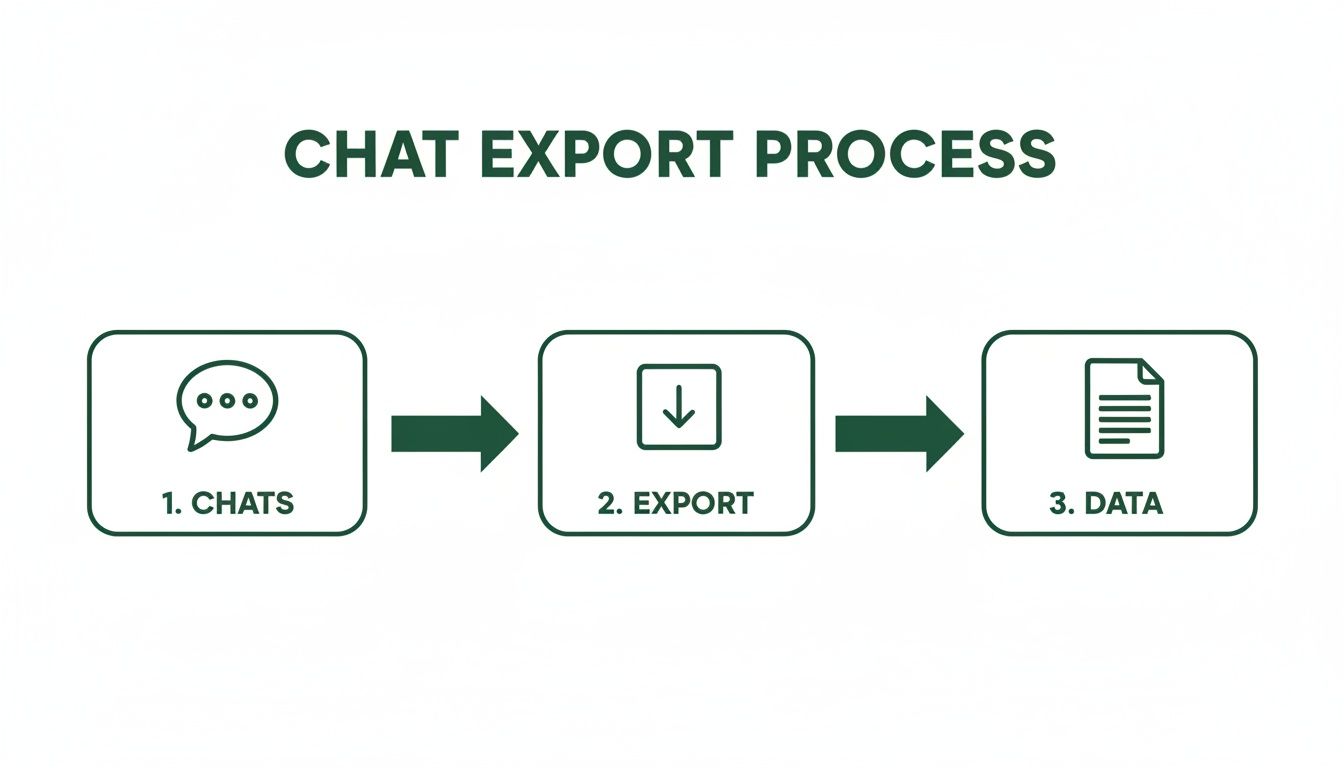
No matter the device, the workflow is: select chat, run the export, and acquire the data file.
Exporting Chats on an iPhone (iOS)
On an iPhone, the export feature is located within each chat's info screen.
Open the individual or group chat you want to export.
Tap the contact or group name at the top to open the Contact Info page.
Scroll down and tap Export Chat.
Choose between Attach Media (creates a .zip file) or Without Media (creates a .txt file).
Use the iOS Share Sheet to email the file, save it to a cloud drive, or send it via AirDrop.
Exporting Chats on an Android Device
The process for Android is similar, with menus in slightly different locations.
Open the chat you need to export.
Tap the three-dot menu icon in the top-right corner.
Tap More, then select Export chat.
Choose "Without media" for a .txt file or "Include media" for a .zip archive.
Use the Android share menu to send the file via Gmail, save it to Google Drive, or use another app.
Pro Tip: Large exports with media can exceed the 25MB email attachment limit. Save these files directly to a cloud service like Google Drive or Dropbox to avoid send failures.
Exporting from WhatsApp Web and Desktop
You cannot export chats directly from the WhatsApp Web or Desktop applications. The export feature is only available on the mobile apps for iOS and Android.
To export a conversation you are viewing on your computer, you must use the mobile device linked to your account.
A Note on Advanced Chat Privacy Settings
A newer WhatsApp feature called "Advanced Chat Privacy" can block chat exports. If this setting is enabled within a chat, the "Export Chat" option will be disabled or grayed out for all participants.
If you cannot perform a WhatsApp export chat, check the chat's settings to see if this privacy feature is active. For business record-keeping, ensure this setting is turned off.
From Manual Exports to Automated Workflows
Manual chat exports are suitable for saving a single important conversation. For businesses managing customer interactions at scale, this method is slow, inefficient, and prone to error.
For teams handling high volumes of customer inquiries or field operations, manual exports create a significant bottleneck. The process is tedious and results in a disorganized collection of files that are difficult to manage.
The goal is to move from manually saving chats to creating an automated flow of information from WhatsApp into your core business systems.
The Problem with Scaling Manual Exports
As chat volume increases, the limitations of the manual export process become clear.
Data Fragmentation: Each export creates a separate file, leading to hundreds of disconnected records in emails and cloud drives. This makes it impossible to get a complete customer history.
No Real-Time Insight: Manual exports are snapshots of past conversations. You cannot react to customer issues or operational problems as they happen.
High Risk of Human Error: Agents can forget to export critical chats, mislabel files, or accidentally delete them, leading to data loss and poor customer experiences.
The biggest issue with manual exports at scale is that they create more work. Instead of providing clarity, they produce a chaotic pile of files that requires significant effort to organize and analyze.
Introducing Automated Data Collection
Automated workflows are the solution to scaling challenges. Instead of manually exporting chats, a platform like Periskope automatically centralizes conversations from all agents and phone numbers in real-time.
This approach transforms WhatsApp management. Conversations flow directly into a shared, searchable workspace, creating a single source of truth for every customer interaction. This process is powered by technology like the WhatsApp API and webhooks.
Benefits of an Automated Approach
Switching from manual exports to an automated system provides immediate, practical benefits for any team using WhatsApp.
Comparison: Manual vs. Automated Workflows
Feature | Manual Exports | Automated Platform (e.g., Periskope) |
|---|---|---|
Data Collection | Manual, periodic, and inconsistent. | Real-time, continuous, and automatic. |
Agent Management | No visibility into chats on multiple numbers. | Unified view of all agent conversations in one inbox. |
Error Rate | High, due to reliance on manual steps. | Minimal, as the process is system-driven. |
Reporting | Requires manual data compilation. | Consistent, automated reporting on key metrics. |
Scalability | Poor; becomes unmanageable with growth. | Excellent; handles thousands of chats effortlessly. |
Automation allows teams to automate data entry with AI, turning raw chat logs into structured, actionable information. An automated platform handles data collection, freeing up your team to focus on analysis and action rather than administrative tasks.
Turning Exported Chat Data into Actionable Insights
An exported .txt or .zip file is just raw data. The value comes from transforming that text into intelligence that improves business operations.
This is how you move from simply collecting conversations to making data-driven decisions.
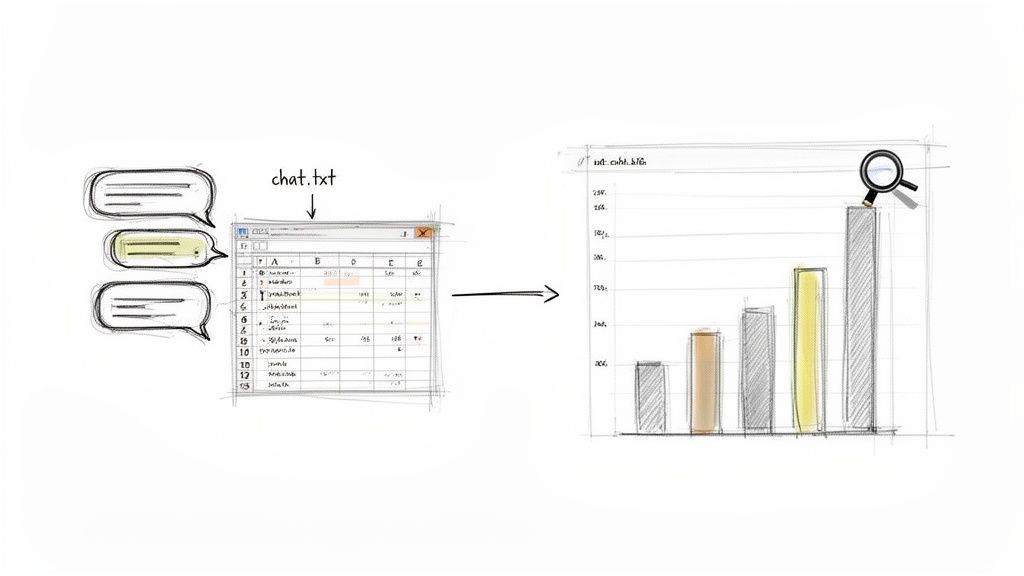
The first step is to structure the data. Importing the .txt file into Google Sheets or Microsoft Excel allows you to parse each message's timestamp, sender details, and content into columns for analysis.
What Customer Support Teams Can Uncover
Exported chat logs are a valuable source of data for support teams. Once organized, you can track key performance indicators (KPIs).
Metrics to pull from a structured chat log:
First Response Time: Measure how long it takes an agent to reply to a customer's initial message. This is a key driver of customer satisfaction.
Average Resolution Time: Track the time from initial contact to issue resolution. This helps identify complex problems and training needs.
Agent Workload Distribution: See how many conversations each agent handles to balance workloads and prevent burnout.
Simply exporting chats is not enough. The goal is a feedback loop: analyze conversations, identify weaknesses, implement changes, and measure the impact. This cycle of continuous improvement is essential for great support.
Digging for Sales Opportunities in Chat Logs
Sales managers can also find significant value in chat exports. WhatsApp conversations provide an unfiltered view of customer needs, objections, and buying signals.
With WhatsApp projected to hit 3 billion monthly active users by March 2025 and handling over 100 billion messages daily, the volume of data is immense. In markets like the DACH region (75-78 million users), chats have 98% open rates. Analyzing these interactions can reveal opportunities that may increase conversions by over 120%.
For example, a sales manager can search chat logs for keywords like "price" or "budget" to identify common objections and equip their team with better responses.
Using Advanced Tools for Deeper Analysis
Spreadsheets are a good starting point but have limitations with large volumes of text. Advanced AI data analysis tools can automate trend and sentiment analysis.
Capabilities of advanced tools:
Sentiment Analysis: Automatically tag messages as positive, negative, or neutral for a quick read on customer happiness.
Topic Modeling: Identify recurring themes, such as frequent feature requests or common product bugs.
Keyword Extraction: Pinpoint the most common terms customers use to understand their priorities.
Integrating this data with your CRM, such as HubSpot or Zoho, provides a 360-degree view of every customer interaction. For more on this topic, see our guide to WhatsApp analytics and reporting.
By combining data analysis with automation, a simple WhatsApp export chat can become a source of business intelligence that drives growth.
Keeping Your Chat Exports Secure and Compliant
When you export a WhatsApp chat, you create a new data file containing personally identifiable information (PII). You are now fully responsible for protecting it.
Once the .txt or .zip file leaves WhatsApp's end-to-end encryption, its security is your responsibility. Mishandling this data can lead to privacy violations and damage your business's reputation.
The Three Pillars of Secure Data Handling
A strong data management policy is essential for protecting exported chat data.
Your policy should address three key areas:
Secure Storage: Store exported files in a designated, secure location, such as an encrypted cloud drive or a company server with strict access controls. Do not leave them on desktops or personal drives.
Access Control: Implement role-based access to ensure only authorized staff can view sensitive chat logs. This minimizes the risk of internal data leaks.
Data Retention Rules: Establish a policy for how long you need to keep chat exports and create a process to securely delete them when they are no longer required.
Treat exported chat data with the same level of security as any other sensitive customer record. A casual approach to storage and access is a direct path to a compliance failure.
Staying on the Right Side of GDPR and Other Privacy Laws
If you operate in Europe or serve European customers, the General Data Protection Regulation (GDPR) imposes strict rules on handling personal data. Customers have the "right to be forgotten" and the "right to access" their data. Your export management process must be able to handle these requests efficiently.
This means you must be able to quickly locate and provide a customer's conversation history upon request, and you must have a reliable method to permanently delete it if asked.
How Platforms Automate Compliance
Manual processes are inadequate for modern compliance requirements. An operational platform like Periskope builds compliance directly into your workflow.
How a dedicated platform helps:
Number Masking: Automatically conceals customer phone numbers from agents who do not need to see them, protecting privacy by default.
Private Internal Notes: Allows your team to discuss customer issues internally without cluttering the official chat log.
Detailed Audit Logs: Creates an immutable record of who accessed which conversation and when, providing a clear audit trail.
Using a secure, controlled environment shifts your compliance posture from reactive to proactive, protecting both your business and your customers.
Troubleshooting Common WhatsApp Export Problems
Even a simple process like exporting a chat can encounter issues. Most problems are common and have straightforward solutions.
Here are the most frequent issues and how to resolve them.
Why Is My Chat Export Incomplete?
If you export a long chat history and find that older messages are missing, you have likely hit WhatsApp's built-in limit.
The platform restricts exports to the most recent 100,000 messages per chat. For high-volume or long-running conversations, this cap is easily reached. With over 150 billion messages sent daily in 2024, this is a critical limitation for businesses. For more usage statistics, see this WhatsApp for Business report on ycloud.com.
Key Takeaway: The 100,000-message limit is the most common reason for an incomplete export. If you require a complete chat history, a one-off export is not sufficient. You need a continuous backup or data-syncing solution. Learn more in our guide on how to back up your WhatsApp chats.
Solving Missing Media Files
If your export contains a .txt file but is missing images, videos, or documents, it is usually due to one of two reasons.
You selected the wrong option: You may have accidentally chosen "Without Media" during the export process. Rerun the export and ensure you select "Attach Media" or "Include Media."
Media is not stored locally: To save space, WhatsApp may offload older media files to the cloud. If the files are not downloaded on your device at the time of export, they will not be included in the
.ziparchive. Solution: Before exporting, scroll back through the chat to ensure all necessary media files are downloaded to your phone.
Got Questions About WhatsApp Chat Exports?
Here are direct answers to common questions about exporting WhatsApp chats.
Can I Really Not Export More Than 100,000 Messages?
That is correct. WhatsApp imposes a hard limit of 100,000 messages for any single chat export.
For conversations longer than this, the export will only include the most recent messages up to the limit. Older messages will be cut off. There is no official way to bypass this platform limitation.
What Kind of File Will I Get After Exporting?
The file type depends on whether you include media.
Without Media: You will receive a single
.txtfile containing the text of your messages and timestamps.With Media: You will receive a
.ziparchive containing the.txtfile along with all associated images, videos, voice notes, and documents.
Why Is the "Export Chat" Option Missing for Me?
If the "Export Chat" button is grayed out or unavailable, it is almost always due to the Advanced Chat Privacy feature.
When this setting is enabled by a participant or admin in a chat, it blocks exports for everyone in that conversation. To resolve this, the person who enabled the setting must turn it off.
Stop struggling with manual exports, message limits, and scattered data. Periskope unifies your team's WhatsApp conversations into a single, shared inbox. It automates message capture, eliminates manual work, and provides the insights needed to manage your operations effectively. See how it works at https://periskope.app.
Automate your WhatsApp with Periskope

Features
Integrations


